PH PROMPTHACKER.AI

Build a kids AI decision coach that asks better questions

Help your child build a coach in Claude or Gemini that asks first, shows tradeoffs, and names when to ask an adult.
July 9, 2026 7 min read
ai decision coach kids critical thinking
Quick Scan

What matters today

Help your child build a coach in Claude or Gemini that asks first, shows tradeoffs, and names when to ask an adult.

Format KIDS GUIDE
Audience Executives using AI at work
Time 7 min read

Key points

  • What you'll learn
  • What the child builds
  • Starter prompt
  • Visual map: how the coach should answer
  • Age adjustments

What you'll learn

  • How kids can build a decision coach without coding
  • Age-appropriate prompts for ages 8 to 16
  • A rubric for judging AI advice before acting on it
  • Conversation starters for parents and educators
  • How to make the activity active instead of passive screen time

Kids do not need another chatbot that gives quick answers. They need practice asking better questions, noticing tradeoffs, and deciding when an AI answer deserves trust.

This activity turns Claude or Gemini into an AI decision coach. The child designs the rules, tests the coach on real but low-risk situations, and scores whether the advice helped.

The activity works with a phone, tablet, or laptop and does not require coding or a paid subscription.

What the child builds

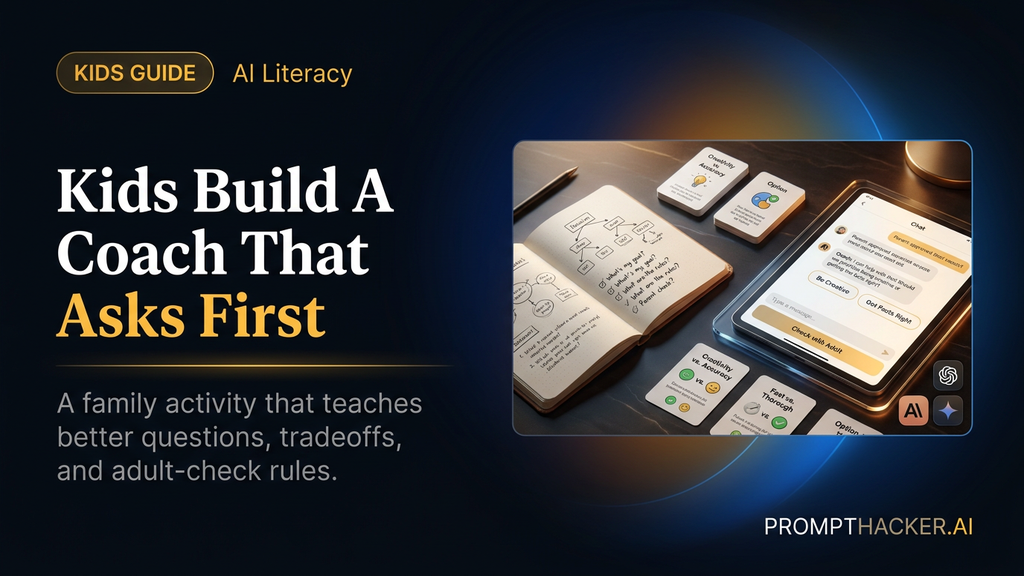
The child builds a chat-based decision coach. The coach must ask questions before giving advice, offer at least two options, name a tradeoff, and suggest when to ask a parent, teacher, or trusted adult.

That structure teaches an important AI lesson: better prompts produce better behavior. The child is not just consuming an answer. The child is designing the rules for the assistant.

Use low-risk situations: what to do after school, how to split study time, whether to join a club, how to handle a group project, or how to spend birthday money. Avoid medical concerns, bullying, mental health, private family conflict, or anything that needs adult care first.

Starter prompt

You are my AI decision coach. I am a kid learning how to make better choices. Before you give advice, ask me three questions. Then give me two good options, one tradeoff for each option, and one question I should ask a parent or teacher. Keep your answer friendly and short.

Let the child paste the prompt. The child should choose the test decisions and change the prompt after seeing the first results.

Visual map: how the coach should answer

Diagram showing the kids decision coach loop from prompt to questions, options, adult check, scoring, and revision.

The child should use this loop as the test. If the coach skips questions, gives only one option, hides the tradeoff, or avoids the adult-check step, the child revises the prompt and runs the decision again.

Age adjustments

For ages 8 to 10, keep the coach simple. Ask for shorter sentences, two options, and one adult-check question.

For ages 11 to 13, add pros, cons, and one consequence for each option.

For ages 14 to 16, add values, time cost, and second-order consequences. Older kids can also compare how the advice changes when they rewrite the prompt.

Age-adjusted line:

Use language for a [age]-year-old. Keep the advice practical, kind, and easy to check with an adult.

The kid-friendly rubric

Score each answer from 1 to 5.

  1. Did it ask before advising?
  2. Did it give more than one option?
  3. Did it name a real tradeoff?
  4. Did it say when to ask an adult?
  5. Did the advice feel safe, kind, and specific?

The score matters because it teaches evaluation. A friendly answer is not automatically a good answer.

Build round

Have the child test three decisions.

Decision 1 should be easy: what to do after school.

Decision 2 should involve time: how to study for a quiz while still having free time.

Decision 3 should involve people: what to do when a group project feels unfair.

After each answer, the child fills three boxes: questions the coach asked, options it gave, and what the child would change in the prompt.

Prompt revision round

After the first three tests, the child improves the coach. Maybe it needs simpler words, better questions, or a stronger adult-check rule. Let the child edit the prompt and rerun one situation.

Revision prompt:

I tested my decision coach. It gave advice too quickly and did not explain the tradeoffs enough. Rewrite my coach prompt so it asks better questions, gives clearer tradeoffs, and tells me when to ask an adult.

This is where the learning sticks. The child sees that AI behavior changes when instructions change.

Safety boundaries

Set these rules before the activity starts:

  • Use a parent-approved account or device.
  • Keep the first three decisions low-risk.
  • Do not use the coach for medical concerns, bullying, mental health, secrets, or private family conflict.
  • Ask a trusted adult before acting on advice that affects safety, money, relationships, or school discipline.
  • Score the answer before using it.

The goal is better judgment, not outsourcing decisions.

For Parents and Educators

Conversation starters:

  • What question did the AI ask that helped most?
  • Which option sounded good at first but had a tradeoff?
  • When should a kid ignore AI and ask a trusted adult instead?

Core AI concept: the child is learning prompt design and output evaluation. The activity teaches that AI output changes when instructions change, and that every answer needs judgment before action.

Four-week family program

Week 1: build the coach and test three easy decisions.

Week 2: rewrite the prompt to ask better questions.

Week 3: add the rubric and score three new answers.

Week 4: compare the AI coach with advice from a trusted adult and discuss what each did better.

Action Steps Summary

  1. Open Claude or Gemini on a parent-approved device. Paste the starter prompt.
  2. Let the child test three low-risk decisions. The adult should stay nearby for the first run.
  3. Score each answer. Use the rubric before acting on any advice.
  4. Revise the prompt. Have the child improve the coach and rerun one decision.
  5. Talk about judgment. Make clear that AI can suggest, but people decide.

Footer CTA

Bottom line

The point of Build a kids AI decision coach that asks better questions is not a perfect final project. It is helping kids see how examples, labels, and feedback shape an AI system, then asking better questions about the tools around them.

About the author

Pierre Bradshaw Founder, PromptHacker.ai

Pierre has spent 25+ years building practical learning and growth systems, with machine-learning work dating back to 2012. PromptHacker kids projects focus on real creation, safety, and AI literacy.

Email us
Free weekly briefing

Three deep dives. Four useful moves. One email worth opening.

PromptHacker turns the AI firehose into practical next steps for work, health, family, and everything time keeps trying to steal.