The Best Models for Hermes Agent for Q3 2026
Choose a Hermes Agent model by workload, access route, and budget, then connect it without turning a free trial into a fragile business system.
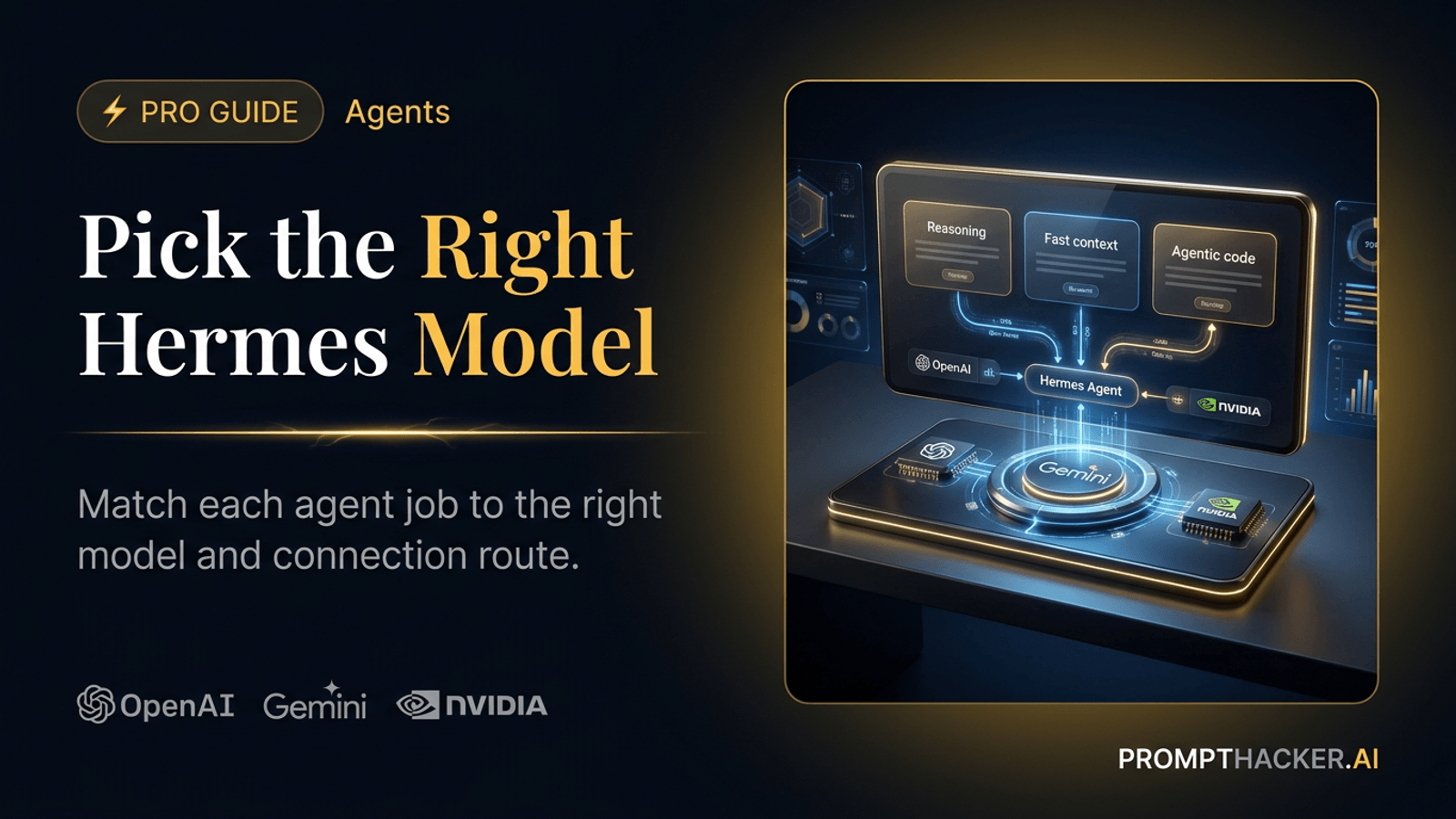
What matters today
A source-linked Q3 2026 guide to the best Hermes Agent models, NVIDIA Build free routes, secure setup steps, and compatible agent platforms.
Key points
- The short answer
- A benchmark can narrow the list. It cannot choose for you.
- How Hermes Agent makes model choice flexible
- The four models worth testing first
- GPT-5.6 Terra for a paid general-purpose agent
The short answer
Do not pick one permanent winner for Hermes Agent. Pick a model for the job in front of it. GPT-5.6 Terra is the sensible paid balance when you want a strong general model and a predictable published API price. Gemini 3.5 Flash is the better fit when a workflow needs very long context, multimodal input, or many fast turns. GLM-5.2 belongs on the list for agentic coding and longer reasoning runs. A local Qwen route belongs on the list only when you are prepared to run and maintain it.
This guide covers NousResearch Hermes Agent, not another product named Hermes. Its useful trick is model portability. Hermes supports several direct providers, then gives you a custom OpenAI-compatible route for hosted or local servers. That means one careful setup can teach you something useful about Hermes, Open WebUI, OpenClaw, and other tools that use the same protocol.
The model names, access labels, and prices below were checked on July 12, 2026. They will move. Use the decision method when they do: choose the workload first, choose the access route second, and make free access earn the right to become a business workflow.
Workload first
Choose the workload before the brand
The table gives you a short test list. It does not replace a trial on your own prompts, files, tools, and review rules.
| If you need | Start with | Hermes route | Why it belongs on the list | Watch for |
|---|---|---|---|---|
| One strong paid default | GPT-5.6 Terra | OpenAI route or a verified OpenAI-compatible route | OpenAI positions Terra as the balance of intelligence and cost. | Confirm that the selected provider exposes Terra to your account. |
| High-volume, multimodal work | Gemini 3.5 Flash | Native Gemini provider | It combines a 1M-token context window with Flash-tier speed and cost. | A free tier is a test path, not a production promise. |
| Agentic coding and long runs | GLM-5.2 | Native Z.ai provider or self-hosted NVIDIA Build download | NVIDIA lists it for agentic workflows, coding, and long-horizon reasoning. | Its current NVIDIA Build label is Downloadable, not Free Endpoint. |
| Private local experiment | qwen3.5:27b | Custom endpoint through Ollama | Hermes documents this exact local pattern. | You own the hardware, setup, uptime, and context setting. |
A benchmark can narrow the list. It cannot choose for you.
A model can look excellent in a coding or reasoning evaluation and still fail your agent. It may ignore a format requirement, browse the wrong source, use a tool too eagerly, or create a response that takes longer to check than to write yourself. Those are not small defects. They decide whether a personal agent becomes part of the week or another application that needs babysitting.
Run the same small set of work through every candidate before you move a workflow. Use a research packet with a known answer, a meeting note with real action items, or a piece of code that has an obvious test. Then count accepted outputs, factual repairs, tool mistakes, response time, and cost. The result gives you a reason to choose a model that a teammate can understand later.
This is where the route matters. A free endpoint that wins one afternoon can still be the wrong production model if it has no stable capacity, unclear data handling, or no fallback. A local model can pass the same test and still be the wrong answer if no one owns the machine. Treat the evaluation as a business decision with a technical input, not as a leaderboard contest.
Set a stop rule before you start. If a route needs repeated manual repairs, misses your agreed response time, or cannot explain where the data goes, end the test. A model does not earn a production role because it produced one impressive answer. It earns that role by repeating a useful job under the conditions you will actually live with.
How Hermes Agent makes model choice flexible
Hermes has first-class routes for services such as Gemini, Z.ai GLM, NVIDIA NIM, OpenAI Codex, Kimi, MiniMax, Hugging Face, and more. It also treats a custom OpenAI-compatible endpoint as a real provider. That is the route for Ollama, vLLM, llama.cpp server, SGLang, LocalAI, or another service that exposes a standard /v1 API.
The command names matter. Run hermes model from a terminal when you need to add a provider, enter a key, or repair an endpoint. Inside an active Hermes session, use /model to switch only among routes you already configured. That small distinction saves a lot of pointless troubleshooting.
Connection routes
There are three sane ways to connect a model
Start with the path that matches the skill level, data policy, and reliability your workflow actually needs.
Run hermes model, choose Gemini, Z.ai, NVIDIA, or another listed provider, then let the setup flow store the credential.
Use a provider that speaks the OpenAI API. NVIDIA NIM uses this protocol, so the same pattern can move between tools.
Start Ollama or another local server first, then point Hermes at its /v1 address and set the actual context length.
Inside an active session, /model changes only among providers you already configured. Run hermes model in a terminal to add or repair one.
Connection sheet
The connection sheet: what each route needs
Use this as a setup checklist, then confirm the exact model name in your own account before you send a real task.
| Model or route | Select in Hermes | Bring | Confirm before the test |
|---|---|---|---|
| Gemini 3.5 Flash | Gemini | A Gemini or Google API key for the native provider | Your account lists the exact model and has the right quota. |
| GLM-5.2 | Z.ai | A Z.ai GLM API key | The model ID and regional account access are correct. |
| NVIDIA Build model | NVIDIA | An NVIDIA API key | Whether the catalog says Free Endpoint, Downloadable, or both. |
| GPT-5.6 Terra | OpenAI Codex or a verified compatible route | Complete Hermes authentication or use the provider credential | The selector actually exposes Terra to that account. |
| Local Qwen | Custom endpoint | A running local server such as Ollama | The /v1 URL, model name, and effective context length match. |
Run hermes model in a terminal to add a route. Use /model only after a session starts and the route is already configured.
One Google detail needs a clean distinction. Vertex AI was the route used to verify Gemini research for this guide. Hermes' documented native Gemini setup expects a Gemini or Google API key. If your company requires Vertex-only access, do not paste a service-account credential into that field. Use a verified endpoint that your security team approves, then test it with disposable data first.
Setup burden
The lower-cost route can create more work
A local server can be the right choice. It is still a server that someone must configure, update, and restart.
This is a planning aid, not a performance score. The bars show how much configuration, uptime, and troubleshooting you own.
The four models worth testing first
GPT-5.6 Terra for a paid general-purpose agent
OpenAI positions GPT-5.6 Terra as the model that balances intelligence and cost. The published API price is $2.50 per million input tokens and $15 per million output tokens. Its 1.05 million-token context window and 128,000-token output ceiling make it a serious choice for a work agent that must read a large brief, use tools, and produce a structured result without sending every routine task to the most expensive model.
Use the Hermes setup flow to inspect which OpenAI or compatible route actually exposes Terra to your account. Hermes documents an OpenAI Codex route and a general compatible endpoint path. Do not assume that a model ID works through every reseller or subscription route. A model selector that shows the name is better evidence than a copied config line.
Gemini 3.5 Flash for long context and fast multimodal work
Gemini 3.5 Flash is a strong default for a busy personal agent that needs to handle text, code, images, audio, video, or PDFs. Google documents a 1,048,576-token context window, 65,535 default maximum output tokens, structured output, system instructions, and caching. In plain English, it can absorb a very large operating document or research pack before it starts to forget the early pages.
Hermes lists Gemini as a native provider. Configure it through hermes model, then use a narrow trial: summarize one recurring document type, draft one internal update, or classify one inbox label. Flash-tier means Google is positioning it for speed and lower cost than a Pro model. It does not mean every free account can safely carry a company process.
GLM-5.2 for agentic coding and longer reasoning runs
NVIDIA Build describes GLM-5.2 as a flagship model for agentic workflows, coding, and long-horizon reasoning. Hermes can reach GLM through its native Z.ai route when you have a Z.ai key. NVIDIA Build also gives you a path to download and host the model through the infrastructure you control. That is useful for a technical team that wants to evaluate the model near its own data or inside an existing GPU environment.
Keep one catalog detail straight: NVIDIA Build currently marks GLM-5.2 as Downloadable. It is not labeled Free Endpoint in the live catalog. Treat it as a self-hosted evaluation path or use the direct Z.ai provider. Do not put it in a free hosted API plan just because other NVIDIA Build models carry that label.
qwen3.5:27b for a private local experiment
Hermes uses qwen3.5:27b in its own local-endpoint example. Start Ollama, select Custom endpoint in hermes model, point it at http://localhost:11434/v1, and set the context length to match what your server really runs. The local route avoids a per-token API bill and gives you tighter control over where requests go.
It is not the easy option for a non-engineer Executive. A local model needs enough memory, a machine that stays available, updates, and someone who notices when it stops responding. Put it in the advanced column unless you already run local software comfortably. A paid hosted model is often cheaper than losing a weekend to a half-working local stack.
Free and low-cost models: use them to learn, not to make promises
NVIDIA Build is worth knowing because it makes the difference between a downloadable model and a free hosted endpoint visible. Mistral Medium 3.5 128B currently has both labels and NVIDIA describes it as useful for text, coding, and agentic work. DeepSeek V4 Flash is also listed as a Downloadable Free Endpoint and is described as a fast coding and agent model with a 1 million-token context window.
Prototype options
Read the access label before you build on it
Free Endpoint, Downloadable, and local are different promises. The label tells you where the work runs and who owns the next failure.
| Model or route | Current access label | Use it for | Do not assume |
|---|---|---|---|
| Mistral Medium 3.5 128B | NVIDIA Build Free Endpoint and Downloadable | Short coding and agent experiments | That a free prototype API has an SLA or fixed future limits. |
| DeepSeek V4 Flash | NVIDIA Build Downloadable Free Endpoint | Fast coding and agent tests with a large context window | That free access removes the need for usage caps and a fallback. |
| qwen3.5:27b through Ollama | Local route, no per-token API bill | Private experimentation and model-routing practice | That local means no operating cost or no hardware requirement. |
| GLM-5.2 on NVIDIA Build | Downloadable | Self-hosted evaluation after you plan the infrastructure | That it is a free hosted endpoint today. |
A free endpoint is excellent for a first 20-task evaluation. It has no business case for being the only route behind a customer promise, a deadline, or a team-wide workflow. Set a small usage cap, keep a paid fallback, and decide in advance what the agent should do when the provider slows down or refuses a request. Free access is a rehearsal. Reliability needs an owner.
Connect the route without creating a credential mess
- Start in a terminal with hermes model. Pick a native provider when Hermes lists the service you already use. For Gemini, that is the native Gemini route. For GLM, choose Z.ai. For a model catalog on NVIDIA Build, choose NVIDIA NIM. Let the setup flow store the credential in Hermes configuration instead of pasting a key into a chat prompt or a shared note.
- Use the Custom endpoint path only when the provider exposes an OpenAI-compatible API or you run a local server. NVIDIA NIM uses this standard API pattern. For Ollama, start the server before you configure Hermes and use its /v1 address. Check the server model list, then set the same context length in Hermes. A mismatch can make an otherwise healthy local model fail on the first long request.
- Open a new Hermes session after configuration. Use /model to select a configured route, then test one small task with ordinary data. Record whether the answer followed the format, used tools correctly, returned quickly enough, and stayed inside your budget. Change one variable at a time. A clean test teaches more than a big prompt that tries to automate the company on day one.
Minimum safe rule: never paste an API key into a prompt, a document, or a screenshot. Store it in the provider or Hermes configuration, keep write actions behind approval, and test with disposable data first.
The same model routes can travel to other agent platforms
Think of NVIDIA NIM, Ollama, and another compatible server as the model backend. Think of Hermes, Open WebUI, and OpenClaw as places where people or agents use that backend. Open WebUI documents connections based on the OpenAI Chat Completions protocol. OpenClaw documents both native providers and compatible routes. The same endpoint can often appear in more than one tool, which reduces the cost of changing the work surface later.
Portability check
Move the connection, not blind assumptions
Protocol compatibility saves setup time. Each platform still has its own permissions, tool rules, billing, and model naming.
| Platform | What can travel | What you still need to verify |
|---|---|---|
| Hermes Agent | Native providers plus custom OpenAI-compatible endpoints | Available model IDs, account access, and context setting. |
| Open WebUI | OpenAI-compatible connections and provider model lists | Connection settings, model allowlist, and team credential ownership. |
| OpenClaw | Native and OpenAI-compatible provider paths | Its provider-specific features, authentication, and model catalog. |
A common protocol makes the connection portable. It does not make tool calling, billing, safety controls, or model IDs identical.
Do a small portability check before you commit. Can the second platform list the model? Does it accept the same tool schema? Where does it store the credential? Does it preserve the context limit? Is the model name identical or prefixed by the provider? These questions sound dull. They are cheaper than rebuilding an agent after the first useful workflow is already attached to it.
Two practical starting choices
For a 20-person company
Start with one paid hosted route and one narrow job. GPT-5.6 Terra is the clean general-purpose candidate if your account offers it. Gemini 3.5 Flash is the better candidate when the work involves long source packs, mixed media, or lots of fast drafts. Keep the first agent in draft mode: a daily industry brief, a meeting prep memo, or a research digest. Name the person who checks it, set a monthly budget, and keep any action that changes a system behind approval.
For a solopreneur
Start with a free NVIDIA Build endpoint or a local Qwen test only if the point is learning. Use it to compare a real task with one paid fallback. When the workflow starts touching a deadline, client information, or revenue, move to the paid route that proved more dependable. Use the scorecard to remove one recurring task from your plate without adding a daily repair job.
The test prompt that makes a decision easier
Give each candidate the same 20 real examples. Use tasks you already review: a customer email draft, a meeting brief, a small research packet, or an internal status update. Score format compliance, factual mistakes, useful tool calls, response time, and the minutes you spent repairing the result. Keep the source material ordinary and safe. Do not use a free test to upload a confidential archive.
Using only the supplied source material, produce a decision brief with: 1) a five-sentence summary, 2) three facts with their source, 3) open questions, and 4) a draft next step. If a fact is missing, say so. Do not send messages, change records, or invent data.
Action steps
- Pick one workload. Do not test general intelligence. Test the actual document, research, coding, or communication job you want Hermes to repeat.
- Configure one hosted model through hermes model. Use GPT-5.6 Terra or Gemini 3.5 Flash for the first business-ready test, based on the workload matrix.
- Add a free or local route only as a comparison. Read the live NVIDIA Build label first. Downloadable and Free Endpoint do not mean the same thing.
- After 20 examples, keep the route that saves more review time than it creates. Put one person in charge of the budget, fallback, and periodic source check.
Primary sources
Sources and update note
Model availability, provider labels, pricing, and quotas change quickly. Recheck the live provider page before you deploy or renew a route.
Last verified: July 12, 2026. The source register is part of the guide because model access data is short-lived. Recheck it before you use a provider for a customer, employee, or deadline-sensitive workflow.
Three deep dives. Four useful moves. One email worth opening.
PromptHacker turns the AI firehose into practical next steps for work, health, family, and everything time keeps trying to steal.