PH PROMPTHACKER.AI

10 ChatGPT Work power tips that turn long tasks into finished business work

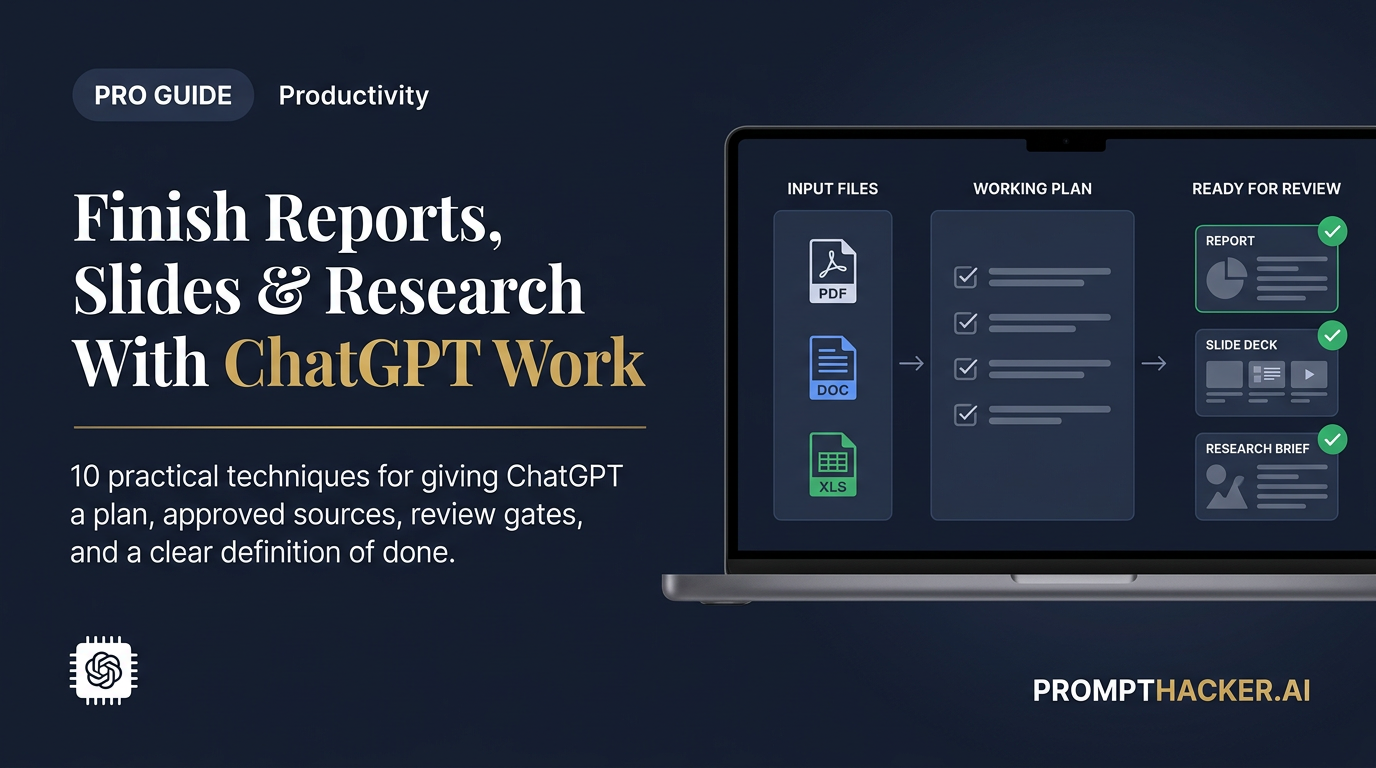
ChatGPT Work can research, use approved files and apps, and create finished documents, spreadsheets, presentations, reports, and Sites. The advantage comes from how the work is framed, reviewed, and measured.
July 15, 2026 17 min read
10 ChatGPT Work power tips that turn long tasks into finished business work
Quick Scan

What matters today

ChatGPT Work can research, use approved files and apps, and create finished documents, spreadsheets, presentations, reports, and Sites. The advantage comes from how the work is framed, reviewed, and measured.

Format TOP UPDATE
Audience Executives using AI at work
Time 17 min read
Topic Use ChatGPT Work, memory, and voice for business

Key points

  • Assign a finished deliverable, not a broad topic.
  • Approve the plan and sources before Work starts.
  • Stop Work before it changes or sends anything.
  • Reuse accepted examples for recurring assignments.
  • Keep only workflows that reduce review time.

Article roadmap

What you will learn

  1. How to choose a first Work assignment that saves time without creating a large permission risk

  2. Ten techniques for better plans, sources, deliverables, approval gates, and recurring tasks

  3. How cloud Work differs from desktop Work

  4. How to control credits, review time, and rework

  5. How to turn a successful manual run into a repeatable business system

ChatGPT Work is easiest to misunderstand when it is treated like a smarter chat window. Chat is designed for questions, brainstorming, and quick help. Work is designed for a longer assignment that may involve research, files, connected services, multiple steps, and a finished artifact.

That difference changes the best prompt. A chat prompt usually asks for an answer. A Work assignment defines an outcome, source boundaries, a plan, a review standard, and the actions that require permission.

Consider a weekly leadership brief. The weak request is, "Summarize what happened this week." The strong assignment tells Work which dashboards, project updates, customer notes, and prior briefs it may use. It defines the final one-page format. It tells Work to flag conflicting numbers and stop before sending anything. It also says what a good result looks like: accurate metrics, three decisions, named owners, and less than ten minutes of human cleanup.

That structure may feel less magical than a one-line prompt. It is also far more likely to produce work that can be trusted.

Official source note

OpenAI introduced ChatGPT Work on July 9, 2026. The company says Work can stay with complex projects for hours, break goals into smaller steps, work across connected apps and files, and create finished materials. OpenAI's current Help Center guide says Work is available on web and mobile for eligible paid accounts and in the desktop app when the plan and workspace include it.

The surfaces are not identical. Desktop Work can use local files and desktop apps after permission is granted. Web and mobile Work cannot directly reach files stored only on the computer. At launch, cloud Work conversations do not automatically appear in desktop Work, and desktop Work threads and local files remain on that computer. Usage also varies by task and follows the same general credit structure as Codex.

Those details matter. A workflow that works on a Mac with local folders may not continue from the phone. A long research task may consume more credits than a short document cleanup. Build the workflow around the surface that owns the required context.

Watch OpenAI's official introduction

Official OpenAI video: Get started with ChatGPT Work.

The Work assignment model

Every dependable assignment has five layers:

LayerQuestion to answerExample
OutcomeWhat finished artifact must exist?A one-page Monday leadership brief
EvidenceWhich sources may Work use?Approved dashboard, customer log, project tracker, prior brief
MethodHow should Work approach the task?Inspect sources, reconcile metrics, draft, verify, then present
BoundariesWhat may it not read or do?No payroll folder, no external messages, no edits to source records
AcceptanceHow will a person judge success?All numbers sourced, three decisions identified, under ten minutes to review

The ten power tips below build on this model.

Power tip 1: Assign an artifact, not a topic

Topics invite essays. Artifacts invite work.

"Research our market" leaves the agent to guess the scope, depth, audience, and stopping point. "Create a seven-slide market decision deck for Thursday's pricing meeting" gives it a destination. Add required slides, approved sources, and a decision question, and the assignment becomes reviewable.

Useful artifacts include a board memo, sales call brief, campaign plan, competitor table, forecast commentary, vendor scorecard, launch tracker, hiring packet, customer feedback synthesis, and private Site. Choose something the business already produces. Existing examples give Work a quality target that a paragraph of style instructions cannot match.

Attach the last two or three accepted versions and say what should remain consistent. Point out any known weakness in the examples. A prior deck may have the right structure but poor citations. A memo may have the right tone but too much background. The agent needs to know which parts are precedent and which parts should improve.

Use this opening:

Create [specific artifact] for [named business moment and audience].
Use the attached examples as structural references, not factual sources.
The finished artifact must help the audience decide [decision].
Before working, restate the deliverable, required sections, and acceptance criteria.

This is a small change with a large effect. It replaces "give me information" with "prepare the thing that moves the business forward."

Power tip 2: Make Work propose the plan before spending credits

Long assignments can go wrong quietly. Work may search too broadly, create an elaborate artifact that nobody requested, or spend time on a source that is not authoritative. A plan checkpoint catches that before the expensive part begins.

Ask for a plan with sources, steps, estimated outputs, assumptions, and approval points. Review it as if it came from a new employee. Is the evidence strong enough? Is any step outside the assignment? Does the plan produce a decision or only a pile of research?

The plan should also identify what Work cannot access. Missing access is not a minor technical detail. It changes the validity of the result. If the analysis requires a customer renewal report that is not connected, the agent should say so before it begins.

Use this instruction:

Start in plan mode. List the sources you expect to use, the steps you will take,
the artifacts you will create, and every action that could change or share data.
Identify missing access and open questions. Wait for approval before execution.

Approve the plan only after narrowing it. Removing two unnecessary sources can reduce cost, speed review, and lower privacy exposure at the same time.

Set a credit budget for the pilot as well. Work usage varies by task, so the first run is the measurement. Record credits consumed, total elapsed time, and the size of the finished artifact. If the task spends heavily on broad browsing or creates material nobody reviews, narrow the plan before the second run. Do not ask Work to predict an exact credit total it cannot know. Use the account's actual usage record.

Power tip 3: Build a source ladder instead of saying "research this"

Agents often treat an attractive page, a current page, and an authoritative page as if they were equal. They are not. A source ladder tells Work which evidence wins when sources disagree.

For a product update, the ladder might be: official release notes, current product guide, company announcement, regulator or standards body, reputable reporting, then commentary. For an internal business brief, it might be: approved financial system, signed agreement, CRM source record, project tracker, meeting notes, then Slack discussion.

Include a conflict rule. If the CRM says a contract renews in September and the signed agreement says October, Work should not choose the convenient answer. It should cite both, prefer the controlling source, and flag the conflict.

PriorityInternal exampleExternal exampleConflict behavior
1Signed contract or approved system of recordOfficial release notes or regulatorControls unless clearly outdated
2Current approved dashboardCurrent product guideReconcile against priority 1
3CRM, project tracker, policy libraryCompany announcementUse with date and scope
4Meeting notes and emailReputable reportingTreat as supporting evidence
5Slack, social posts, creator videosCommentary and community postsDiscovery only unless independently verified

Ask Work to finish with a source ledger containing the claim, source, date, and confidence. That ledger makes review much faster than opening every source from scratch.

Power tip 4: Separate the evidence pass from the writing pass

A polished narrative can hide weak evidence. Run the task in two passes.

The first pass builds the factual spine: verified claims, numbers, source links, dates, contradictions, missing information, and uncertainty. The second pass turns the approved spine into the memo, deck, or report.

This separation is especially useful for pricing, competitive analysis, finance, policy, and customer research. It allows a subject owner to approve the facts before anyone spends time debating wording and design.

The process can be simple:

  1. Work creates a claim ledger.
  2. A person approves, rejects, or edits each important claim.
  3. Work produces the artifact using only approved claims.
  4. A person reviews the finished artifact for judgment and tone.

The extra checkpoint usually saves time because it prevents a complete draft from being rebuilt after one bad assumption is discovered.

Do not draft the final document yet. First produce a claim ledger with:
claim, source, source date, confidence, conflicting evidence, and why it matters.
Mark every unsupported statement. Wait for approval before writing the artifact.

Power tip 5: Use folders and Projects as a context contract

Projects keep related conversations, files, and instructions together. That makes them useful for recurring work, but only when the contents are curated.

A Project should not become a digital junk drawer. Keep a small "current truth" set: company overview, audience definition, current priorities, approved metrics, product facts, decision rules, and the latest accepted artifact. Move obsolete material into an archive folder that Work is told not to use unless requested.

Use clear file names with dates and status. "Pricing-final-v7-NEW.pdf" is a retrieval trap. "2026-07-10-pricing-policy-approved.pdf" tells both people and machines what the file is. Put a short index file at the top of the Project explaining which files control each subject.

For desktop Work, grant access only to the folder the task needs. Do not connect the entire Documents directory because one weekly report uses three files. For cloud Work, upload or connect the required source in the Project rather than assuming a local file is available.

This turns context into an explicit contract. The agent knows where truth lives, and the team knows what the agent can see.

Power tip 6: Create an approval matrix before connecting apps

Connected apps expand usefulness and risk together. The right question is not, "Can Work use Gmail, Slack, Drive, or the CRM?" The right question is, "Which actions may it take in each system without another approval?"

Use four levels:

LevelAllowed behaviorTypical examplesHuman requirement
ReadGather and compare informationRead approved folders, view dashboards, inspect selected messagesReview sources
DraftCreate a private proposed artifactDraft memo, spreadsheet, slides, reply, or private SiteReview content
StagePrepare a reversible changeFill an unsent CRM update or organize copies in a staging folderApprove exact change
ActChange external stateSend, publish, delete, pay, share, change permissions, edit source recordsExplicit approval every time

Begin every workflow at Read or Draft. Add Stage only after two successful reviewed runs. Keep Act behind explicit approval even when the agent becomes more reliable.

Tell Work to show the exact action, destination, data affected, and rollback path before asking for approval. "May I continue?" is too vague. "May I send this draft to these three recipients with this attachment?" is reviewable.

Power tip 7: Design the deliverable around the reviewer's next decision

A report can be accurate and still waste time. The reviewer should not have to discover what decision the report supports.

Put the decision at the top. Follow it with recommended action, evidence, alternatives, risks, and unresolved questions. Move background material to an appendix. For a deck, require one message per slide. For a spreadsheet, add an exceptions tab that shows only rows needing attention. For a Site, put decisions and blocked items above general status.

This design principle also controls length. Work can generate a 40-page report because it has the time. That does not mean the team has the time to read it.

Ask for two layers:

  • Decision layer: one page or five slides for the person approving the next step.
  • Evidence layer: supporting tables, sources, and calculations for the person checking the work.

The result serves both speed and diligence. Executives can act without losing the audit trail.

Power tip 8: Make Work run its own red-team pass

Before presenting the final artifact, ask Work to attack it.

The review should search for unsupported claims, stale sources, math errors, inconsistent dates, hidden assumptions, missing stakeholders, privacy exposure, and actions that exceed the approval matrix. It should not merely say that the answer looks good.

Give the reviewer a different role from the drafter:

Now act as a skeptical reviewer who did not create this artifact.
Find the five strongest reasons it could be wrong, misleading, incomplete,
too expensive, or unsafe to execute. Check every number against its source.
List corrections separately. Do not rewrite until I approve the corrections.

For consequential work, add a human subject expert after the machine review. The self-check improves the draft, but it is not independent assurance. An agent can repeat the same mistaken interpretation twice.

Power tip 9: Measure total review cost, not agent run time

An agent that works for 45 minutes and produces a clean deliverable may save more time than one that answers in 30 seconds and creates an hour of cleanup. Measure the entire workflow.

Track five numbers for at least two runs:

  • Previous manual preparation time
  • Agent run time
  • Human review time
  • Human correction time
  • Percentage of the output accepted without change

The real automation equation

Illustrative human minutes saved per ChatGPT Work run

Keep a workflow only when the saved minutes remain positive after review and correction. If review consumes most of the original workload, narrow the assignment or keep it manual.

WorkflowOld manual timeWork runReview and correctionHuman time saved
Weekly leadership brief120 min24 min18 min102 min
Sales meeting packet45 min11 min9 min36 min
Campaign performance review90 min20 min35 min55 min
Unbounded "market research"60 min48 min75 min-15 min

These are illustrative targets, not OpenAI performance claims. The negative example matters. A workflow can look sophisticated and still cost more time than it saves.

Set a retirement rule. If the second revised run does not reduce human effort, narrow the sources or simplify the artifact. If the fourth run still fails, stop automating that workflow.

Power tip 10: Promote a workflow to Scheduled Tasks only after it passes twice

Scheduled Tasks can run once, on a recurring schedule or trigger, or monitor for changes. This makes them powerful and easy to misuse.

Never schedule the first version. Run it manually, review the source ledger, fix the prompt, and run it again with fresh data. The second run shows whether the workflow is genuinely repeatable or merely copied the shape of the first example.

When it is ready, schedule the smallest useful unit. A Monday task might prepare the weekly brief and notify the owner. It should not send the brief to leadership. A customer-monitoring task might flag material changes and create a review queue. It should not contact the customer.

Add a freshness rule and a silence rule. The task should report the date and time of every source. It should also say "no material change" when nothing matters instead of manufacturing a dramatic update.

Every Monday at 8:00 a.m. Eastern, prepare the weekly leadership brief using
only the approved Project sources. Include source timestamps and changes since
the prior brief. If there is no material change, say so. Do not send or publish.
Notify me when the draft and source ledger are ready for review.

Workflow maturity ladder

StageAgent responsibilityHuman responsibilityPromotion test
1. ObserveRead sources and explain the processPerform the work normallyAgent identifies the correct steps and sources
2. DraftProduce a private first draftReview every claim and decisionReview time is lower than manual preparation time
3. RepeatRun the same task on new dataReview exceptions and changesTwo consecutive runs meet acceptance criteria
4. SchedulePrepare recurring drafts or alertsApprove consequential actionsStable sources, stable format, useful silence behavior
5. ExpandAdd one new source or reversible actionAudit permissions and resultsMeasured benefit remains positive after expansion

The ladder keeps enthusiasm from outrunning evidence. A workflow earns more autonomy through performance.

The complete Work assignment template

ROLE
Act as the responsible analyst for [workflow]. You prepare work for review.
You do not own the final business decision.

OUTCOME
Create [artifact] for [audience] by [deadline]. It must help them decide [decision].

APPROVED SOURCES
Use only: [Project, files, folders, apps, sites, and date ranges].
Source priority: [list controlling sources in order].

EXCLUSIONS
Do not access: [folders, systems, people, or categories].
Do not infer missing facts. Label them as missing.

PROCESS
1. Restate the assignment and acceptance criteria.
2. Propose a plan, source list, and approval points.
3. Wait for plan approval.
4. Build a claim ledger before drafting.
5. Create the artifact from approved claims.
6. Run a skeptical accuracy, privacy, and permission review.

APPROVAL BOUNDARIES
You may read approved sources and create private drafts.
Stop before sending, publishing, sharing, deleting, paying, changing permissions,
editing source-of-truth records, or making an external commitment.

DELIVERABLE
Provide:
- Executive decision page
- Supporting evidence
- Source ledger with dates
- Assumptions and conflicts
- Actions taken
- Exact actions awaiting approval

ACCEPTANCE CRITERIA
- Every important claim has a source.
- Conflicts are visible.
- Review takes less than [number] minutes.
- The artifact follows the attached accepted example.

A five-day, low-cost rollout

Day 1: choose the narrowest recurring deliverable

Pick work that happens at least twice a month, uses stable sources, and ends in a familiar artifact. Write down the old preparation time.

Day 2: build the context contract

Create the Project, upload the approved examples, add a current-truth index, and connect only the minimum sources. Write the approval matrix.

Day 3: run the evidence pass

Approve the plan, inspect the claim ledger, and correct source problems before the artifact is drafted.

Day 4: run the finished deliverable

Measure review and correction time. Ask the skeptical reviewer to find weaknesses. Revise the assignment rather than manually fixing the same issue forever.

Day 5: repeat with new data

If the second run meets the acceptance criteria, save the assignment as the workflow playbook. Schedule only the draft or alert. Keep external actions behind approval.

What not to delegate first

Do not begin with payroll, legal approval, hiring or firing, medical judgment, security access, refunds, payments, destructive file cleanup, or public communication. Work can prepare evidence for those decisions, but a person should own the decision and the external action.

Also avoid workflows with no stable source of truth. If three systems disagree and nobody knows which one controls, automation will spread the ambiguity faster. Fix the business process before automating it.

What earns a second workflow

Long run time is not the benefit. A Work assignment earns its place when it removes assembly work from a recurring decision without hiding evidence or increasing risk.

Start with one artifact. Give it a source ladder, an approval matrix, and a review budget. Run the workflow twice. Measure human time saved after corrections. Only then schedule it or grant another permission.

That approach is slower than connecting everything on the first day. It is also how a useful agent becomes part of the business instead of another impressive demo.

Bottom line

The useful move with 10 ChatGPT Work power tips that turn long tasks into finished business work is to run one narrow test this week, then keep only the workflow that saves time, improves a decision, or gives your team clearer output. Treat the announcement as raw material, not the win itself.

About the author

Pierre Bradshaw Founder, PromptHacker.ai

Pierre has spent 25+ years building growth systems across fintech, real estate, lending, campaigns, and AI workflows, with machine-learning work dating back to 2012.

Email us

Source links

Free weekly briefing

Three deep dives. Four useful moves. One email worth opening.

PromptHacker turns the AI firehose into practical next steps for work, health, family, and everything time keeps trying to steal.