PH PROMPTHACKER.AI

Use Claude Sonnet 5 and Cowork with review rules

Make Sonnet 5 your daily default while keeping Cowork tasks visible across mobile, web, and desktop.
July 9, 2026 8 min read
claude sonnet 5 cowork mobile default
Quick Scan

What matters today

Make Sonnet 5 your daily default while keeping Cowork tasks visible across mobile, web, and desktop.

Format TOP UPDATE
Audience Executives using AI at work
Time 8 min read

Key points

  • What you'll learn
  • Official source note
  • Why default status matters
  • Visual map: Claude work surfaces
  • The daily Claude rhythm

What you'll learn

  • What Sonnet 5 changes for everyday Claude work
  • How Cowork on web and mobile changes task handoff
  • The review rules that keep agent work visible
  • A daily Claude rhythm for research, drafting, and decisions
  • How to avoid invisible background work

A founder can hand Claude a research task from a phone, check the draft between meetings, and finish the review later at a desk. That sounds small until you count how many AI tasks die because the laptop is closed or the context is trapped in one session.

Anthropic's Sonnet 5 page says the model is built for agentic work, tool use, coding, and knowledge work. Claude's Cowork announcement says Cowork is rolling out to mobile and web, with sessions and files following the user across devices.

The opportunity is real, but the rule is non-negotiable: Claude can work in the background, but the decision still comes back to a human.

Official source note

Anthropic says Claude Sonnet 5 is available across all plans, is the default for Free and Pro users, and launches with introductory API pricing through August 31, 2026. Claude's Cowork page says beta access to web and mobile is rolling out over several weeks starting with Max users, with more plans to follow. Use that as a rollout fact, not a guarantee that every account has every surface immediately.

Why default status matters

A default model shapes daily behavior. If Sonnet 5 improves agentic work and everyday knowledge tasks, many users get a better daily assistant without changing habits. That is useful, but it can also hide review debt.

The right default policy is task-based. Use Sonnet 5 for research synthesis, drafting, coding support, file analysis, and routine agent work. Use more expensive or specialized review only when stakes justify it: legal risk, security, finance, medical content, hiring, or customer-impacting decisions.

The business question is simple: can Sonnet 5 remove enough reviewable work to save a meaningful block of time each week? If it cannot, the model launch is a headline, not an operating change.

Visual map: Claude work surfaces

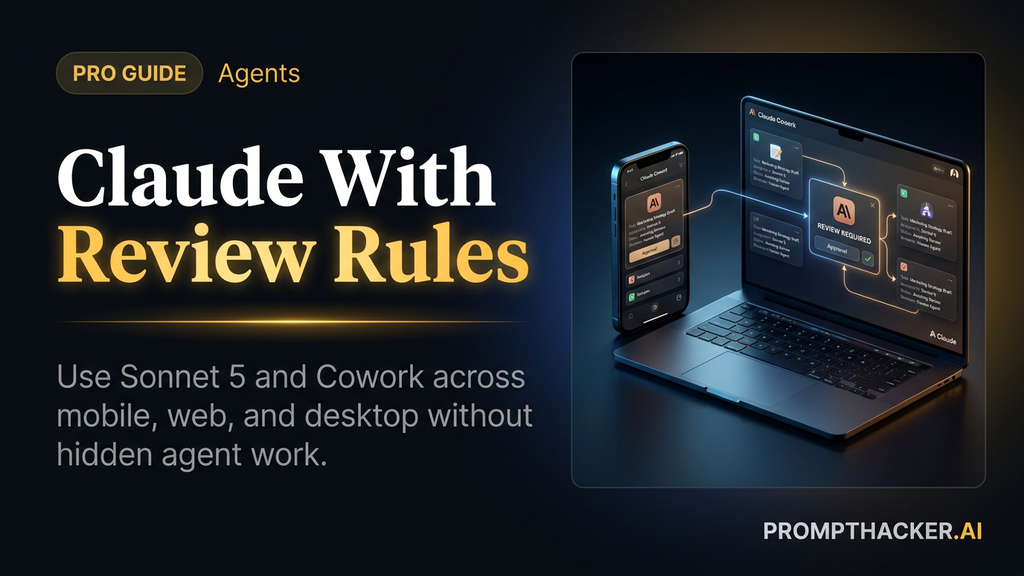
Diagram showing Claude desktop, web, mobile, Sonnet 5, and review rules as one work system.

Use the surfaces differently. Desktop handles the full Cowork setup and file-heavy tasks. Web and mobile are review surfaces where the Executive can clarify, redirect, approve, or stop work. Sonnet 5 is the everyday model choice, but the review rule keeps Cowork from turning into invisible final action.

The daily Claude rhythm

Use Claude in three recurring slots.

Morning synthesis: ask Sonnet 5 to summarize decisions, risks, and open loops from a project folder, document, or meeting notes.

Midday delegation: give Cowork one scoped task with a clear output and a stop point.

End-of-day review: ask Claude to summarize what changed, what needs human approval, and which assumptions are still unresolved.

This rhythm gives AI a place in the workday without turning every task into a tool experiment. It also creates a natural audit trail.

Mobile handoff prompt

Use this when assigning work from a phone. The task is intentionally narrow.

Review the latest notes in this project and prepare a one-page decision brief. Include the decision needed, the two strongest options, the main risk for each option, the missing information, and the source files used. Do not contact anyone, edit source files, or share the draft. Stop when the brief is ready for my review.

The stop point is the most important sentence. A phone is great for delegation. It is weak for checking dense file changes.

Cowork review rules

Every Cowork task should include four review rules:

  • Source rule: name the files, folders, apps, and threads it used.
  • Assumption rule: state the main assumption before the recommendation.
  • Action rule: stop before send, publish, delete, share, or source-file edits.
  • Escalation rule: ask the human when confidence is low or the decision has financial, legal, health, security, or customer impact.

Those rules keep background work visible. If a task cannot produce a source list and assumption list, it should not move forward.

Scenario: client renewal tracker

A customer success lead has renewal notes in emails, call transcripts, and a folder of contracts. The old workflow is copy, paste, skim, and build a tracker from scratch. Cowork can help prepare the draft tracker while the lead focuses on judgment.

Prompt:

Using only the folder [contract folder], the call transcripts in [folder], and emails from the last 30 days with [client domain], create a renewal-risk tracker. Include account, renewal date, contract risk, stakeholder concern, next step, owner, and confidence level. Do not contact anyone or edit the source files. Stop with a draft tracker and a list of assumptions for review.

The output should make the next human step obvious. If the reviewer has to reopen every source file to understand the tracker, the workflow did not save enough time.

Failure mode: invisible work

The failure mode is not that Claude refuses to work. The failure mode is that Claude works invisibly. It drafts, summarizes, changes direction, and creates an output that looks done without showing which sources shaped the result.

Fix that with a standard ending:

End with: sources used, assumptions made, decisions still needed, actions not taken, and the next human approval needed.

Add that ending to every Cowork task for the first month.

Weekly adoption plan

Monday: use Sonnet 5 for one research synthesis task.

Tuesday: assign one Cowork draft task from desktop.

Wednesday: check or redirect the task from mobile.

Thursday: review the final draft from desktop and record edits required.

Friday: decide whether the task saved time after review.

The word "after" matters. AI work that looks fast before review can still be slow after cleanup.

Action Steps Summary

  1. Use Sonnet 5 as the daily default for one week. Test research, drafting, coding support, and long-document work.
  2. Assign one Cowork task with a review stop. Keep the first task to a draft artifact, not an external action.
  3. Add the source-and-assumption ending to every task. Make background work visible before the team relies on it.
  4. Use mobile for steering. Move final review to desktop for files, legal language, financial data, or customer-facing output.
  5. Keep a weekly review log. Track time saved after edits, not before edits.

Footer CTA

Bottom line

The useful move with Use Claude Sonnet 5 and Cowork with review rules is to run one narrow test this week, then keep only the workflow that saves time, improves a decision, or gives your team clearer output. Treat the announcement as raw material, not the win itself.

About the author

Pierre Bradshaw Founder, PromptHacker.ai

Pierre has spent 25+ years building growth systems across fintech, real estate, lending, campaigns, and AI workflows, with machine-learning work dating back to 2012.

Email us
Free weekly briefing

Three deep dives. Four useful moves. One email worth opening.

PromptHacker turns the AI firehose into practical next steps for work, health, family, and everything time keeps trying to steal.