Pilot Gemini Spark and 3.5 Flash on one Mac workflow
Test Google's Mac and computer-use stack with one scoped workflow, one folder, and one review checklist.
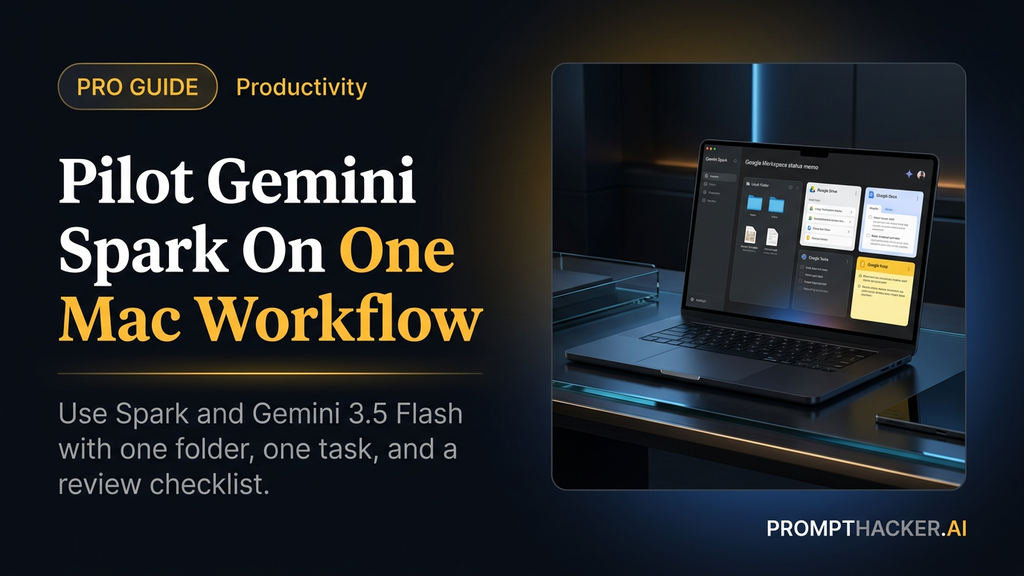
What matters today
Test Google's Mac and computer-use stack with one scoped workflow, one folder, and one review checklist.
Key points
- What you'll learn
- Official source note
- Visual map: Spark versus Flash
- Choose a workflow that pays back quickly
- First Spark prompt
What you'll learn
- What Gemini Spark does on macOS and who can use it first
- How Gemini 3.5 Flash computer use differs from Spark
- A safe first workflow for local files and Google Workspace
- The access limits that keep agent work useful without becoming risky
- How to measure whether the pilot saved real time
A marketing lead who lives in Google Workspace does not need a separate agent platform for every recurring task. She needs one system that can find the right local files, pull context from Workspace, and draft a next artifact without turning setup into a half-day project.
Google now has two lanes to test. Gemini Spark is coming to the Gemini macOS app for eligible Ultra subscribers, with local-file and connected-app workflows. Gemini 3.5 Flash computer use is the model and developer lane for agents that can act across browser, mobile, and desktop environments.
The mistake is treating those as the same thing. Spark is the practical Mac pilot. Gemini 3.5 Flash computer use is the builder stack. Executives should test the surface they actually plan to use.
Official source note
Google says Gemini Spark for macOS is in beta for Google AI Ultra subscribers aged 18 and over, starting in the US. Google also says Gemini 3.5 Flash now supports built-in computer use through the Gemini API and Gemini Enterprise Agent Platform. That means the first article-level recommendation is a pilot, not an all-company rollout.
Visual map: Spark versus Flash
This is the split to keep in mind. Spark is the hands-on Mac workflow surface. Gemini 3.5 Flash computer use is the builder lane for custom agents. Workspace apps remain the normal collaboration lane. Human review owns sensitive actions and final decisions.
Choose a workflow that pays back quickly
The first Spark pilot should be small enough to review and common enough to repeat. The best candidate is a task that usually costs 20 to 60 minutes because the source material is scattered.
Good pilots:
- Turn a folder of invoices into a budget-check spreadsheet.
- Summarize a Downloads folder of PDFs into a client research brief.
- Convert scattered Google Keep notes into Google Tasks action items.
- Prepare a weekly competitor note from a fixed list of pages.
- Draft a project status memo from Drive files and recent meeting notes.
Poor pilots:
- Send customer emails without review.
- Delete or move large sets of files.
- Change billing, payroll, legal, or customer records.
- Browse the whole Mac without a narrow folder.
The first workflow should end with a draft. If the output cannot be reviewed quickly, the pilot is too broad.
First Spark prompt
Use this version for a Mac workflow that touches a local folder and Workspace.
Use only the folder [folder name] and the Google Workspace files I explicitly name. Create a draft [memo, spreadsheet, tracker, or task list] for [business goal]. Before you start, ask me three questions if any source is unclear. Do not send, delete, move, share, publish, or edit source files. End with a source list, assumptions, missing files, and the next human review step.
The prompt does three jobs. It limits the source material, blocks risky actions, and forces the agent to make its work inspectable.
The access boundary
Google says Spark can work across desktop files and apps with permission, and that it only has access to files the user allows. That permission model is useful only if the user gives it a small first sandbox.
Create a test folder. Copy or move only the files needed for the first workflow into that folder. If the agent needs Drive or Keep or Tasks, name the exact app and desired output. Do not point it at the whole Downloads folder, the whole Drive, or a client folder with mixed sensitive files.
Access ladder:
- One folder, one output, no write actions.
- One folder plus one Workspace app, draft only.
- Recurring task with a review notification.
- Write action only after a documented approval rule.
Most teams should stay on the first two steps for the first week.
Where Gemini 3.5 Flash fits
Gemini 3.5 Flash computer use belongs in a different evaluation track. Google describes it as a built-in computer-use tool for building agents that can see, reason, and take action across browser, mobile, and desktop environments. The official page also emphasizes safety measures such as user confirmation for sensitive actions, prompt-injection stops, sandboxing, human review, and strict access controls.
That means an internal builder should test three things before using it in production:
- Observation: does the model correctly read what is on screen?
- Action choice: does it choose the next step safely?
- Stop behavior: does it pause when the instruction or page state is ambiguous?
- Injection resistance: does it ignore hostile or irrelevant page text?
- Audit output: does it leave enough detail for a human to understand what happened?
If an agent cannot stop well, it is not ready for important work.
Scenario: weekly client research packet
A consultant needs to prepare a weekly client packet from a folder of PDFs, a Google Doc of notes, and three competitor pages. The old workflow is manual copying, skimming, and formatting. The Spark pilot should create the draft packet and stop.
Prompt:
Create a weekly client research packet from the files in [folder], the Google Doc [doc name], and these three websites: [urls]. Include three market changes, two client risks, two opportunities, and a one-page executive summary. Use citations or file names for every claim. Do not email, share, or publish anything. Stop when the draft packet is ready for review.
Measure the result against three numbers: minutes saved, missing sources, and edits required. If review takes as long as the manual process, the workflow is not ready. Narrow the sources and try again.
Visual map: the pilot scorecard
Score the first two runs from 1 to 5. Keep the workflow only if source control, output fit, and risk control score 4 or 5. A time-saving workflow that ignores boundaries is not a win.
What to do after the first run
Do not expand access after one good output. Rerun the same workflow with a slightly different source set. The second run shows whether the instruction is repeatable.
If the second run improves, save the prompt and create a simple checklist. If the second run gets worse, the workflow may need a narrower folder, clearer output format, or a smaller task. If the agent asks useful questions before acting, keep that behavior in the prompt.
Action Steps Summary
- Pick one reversible workflow. Choose a Mac and Workspace task that ends in a draft, not an external action.
- Build a small sandbox. Use one folder and one or two named apps instead of the whole desktop.
- Run the Spark prompt twice. Compare source control, review time, cleanup time, and risk behavior.
- Treat Gemini 3.5 Flash separately. Use it for builder-led computer-use agents, not as a consumer Spark substitute.
- Save the prompt only after the second reviewed run. Repeatable value beats one impressive demo.
Footer CTA
Three deep dives. Four useful moves. One email worth opening.
PromptHacker turns the AI firehose into practical next steps for work, health, family, and everything time keeps trying to steal.