PH PROMPTHACKER.AI

LLM memory strategies: how to make ChatGPT, Claude, Perplexity, and Gemini remember the right things

Native memory is becoming more capable, but a dependable business memory system still needs instructions, curated project knowledge, source records, review rules, and an exit plan.
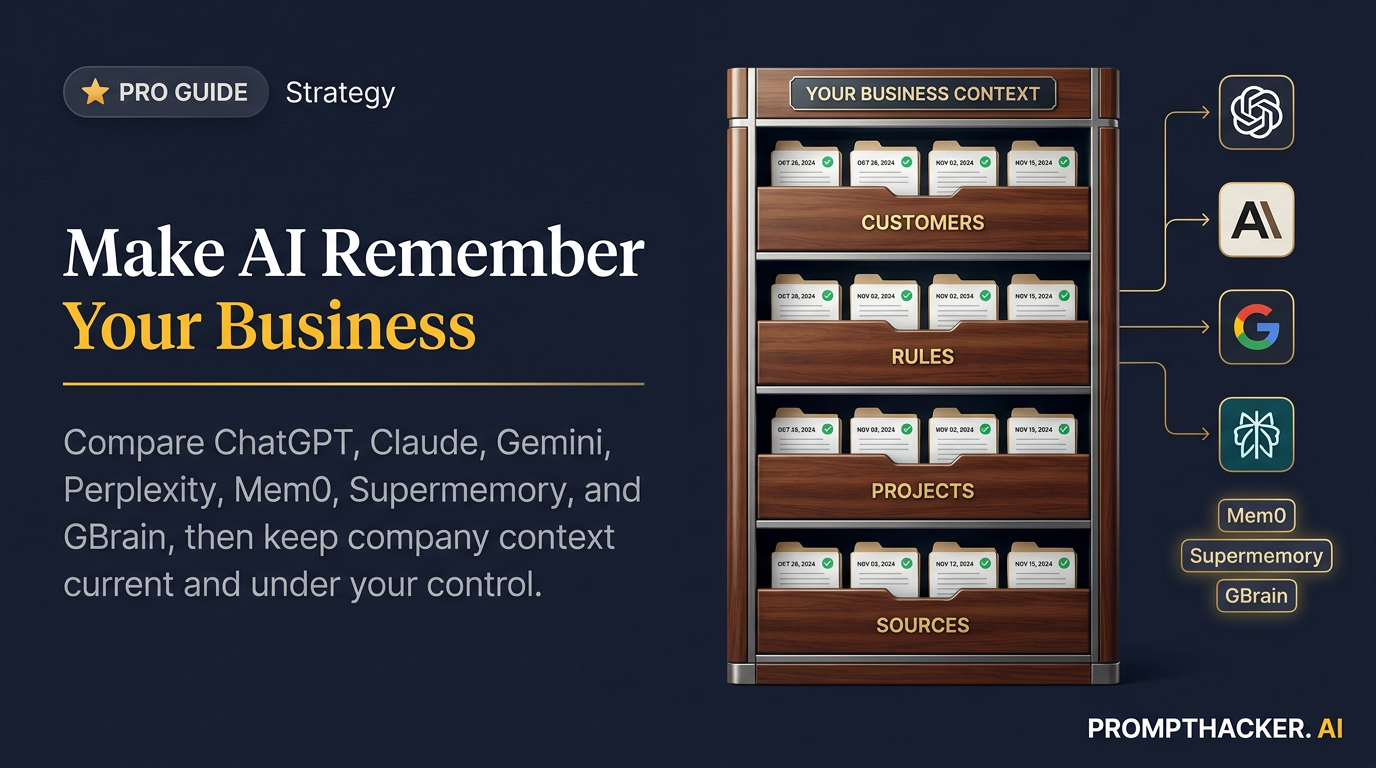
July 15, 2026 19 min read
LLM memory strategies: how to make ChatGPT, Claude, Perplexity, and Gemini remember the right things
Quick Scan

What matters today

Native memory is becoming more capable, but a dependable business memory system still needs instructions, curated project knowledge, source records, review rules, and an exit plan.

Format TOP UPDATE
Audience Executives using AI at work
Time 19 min read
Topic Use ChatGPT Work, memory, and voice for business

Key points

  • Separate stable context from current business facts.
  • Put company rules globally and client details in Projects.
  • Treat dated files as the source of truth.
  • Remove stale or sensitive memories every month.
  • Add shared memory only when several tools need it.

Article roadmap

What you will learn

  1. The difference between a context window, saved instructions, project knowledge, chat history, and durable memory

  2. How memory works in ChatGPT, Claude, Perplexity, and Gemini

  3. When Mem0, Supermemory, or GBrain makes sense

  4. How to prevent stale, contradictory, sensitive, or unverifiable memories

  5. How to build a portable company memory without paying for an unnecessary technical project

An AI assistant can remember your preferred writing style and still forget the one fact that controls a decision. It can recall an old pricing rule after the rule changed. It can retrieve the right customer name from the wrong account. It can sound more familiar while becoming less accurate.

That is the central problem with AI memory for business. More memory is not automatically better. The useful goal is selective continuity: the right context, from the right source, for the right task, with a visible date and a way to correct or delete it.

The current products are moving in that direction. ChatGPT now maintains a memory summary and can show sources used for personalization. Claude keeps a general memory summary plus separate project memories and can import or export memory. Perplexity Brain builds a source-linked context graph across Computer sessions, files, connectors, and decisions. Gemini can use past chats, explicit instructions, Connected Apps, and imported memory or chat history on eligible accounts.

Those features solve part of the problem. They do not replace a basic information architecture.

First, stop calling every kind of context "memory"

Five different mechanisms are often lumped together:

LayerWhat it doesHow long it lastsBest business useMain risk
Context windowHolds the current conversation and attached materialCurrent session or taskImmediate reasoning and draftingImportant facts fall out or get buried
InstructionsStates explicit rules and preferencesUntil edited or disabledTone, decision rules, evidence standards, approval boundariesOld rules continue after the business changes
Project knowledgeStores files and reference material for a defined projectUntil removedProduct canon, campaign materials, client records, recurring workflowsDuplicate and obsolete files compete
Chat-history retrievalSearches past conversations for relevant detailsDepends on account history and settingsFinding prior decisions and unfinished workInformal conversation is mistaken for approved truth
Durable memoryMaintains a synthesized profile or structured facts across sessionsUntil updated, reset, or deletedPreferences, roles, recurring projects, stable contextStale, sensitive, or contradictory facts persist

A large context window is not durable memory. It is a bigger desk. Project knowledge is not necessarily memory either. It is a filing cabinet the assistant may search. Instructions are closer to a policy manual. Durable memory is the assistant's evolving account of what remains relevant across sessions.

The best system uses all five layers deliberately.

The four qualities of useful business memory

Every saved fact should pass four tests:

  1. Durability: Will this still matter in a month?
  2. Authority: Is there a source that controls the fact?
  3. Scope: Should it apply everywhere or only inside one project?
  4. Sensitivity: Would it create risk if recalled in the wrong conversation?

Stable preferences, approved vocabulary, the company's customer definition, and recurring report structure are good memory candidates. Temporary campaign dates, one employee's medical detail, an unapproved price, and a speculative acquisition discussion are poor global memories.

What deserves durable memory

Four layers of dependable AI business memory

Store stable preferences in instructions or durable memory. Keep prices, deadlines, customer status, and other consequential facts in dated source files that the assistant must retrieve.

InformationDurabilityAuthorityRecommended layer
Preferred meeting-brief formatHighApproved exampleInstructions or durable memory
Current quarterly prioritiesMediumLeadership planProject knowledge with review date
Customer contract renewal dateMediumSigned contractProject knowledge, not casual memory
Writing tone preferenceHighUser preferenceGlobal instructions
Temporary launch discountLowApproved campaign planDated project file
Unverified rumor from a callLowNoneCurrent chat only, clearly labeled
Password, payment card, health detailVariesSensitive sourceDo not store in general AI memory

The higher the consequence, the closer the fact should stay to its authoritative source.

ChatGPT: use memory summary for continuity and Projects for controlled truth

OpenAI's current Memory FAQ describes a newer system that automatically maintains a memory summary from chats, files, and connected apps. Users can inspect that summary, make corrections, ask ChatGPT to avoid mentioning a detail, and view sources that influenced a personalized response. Plus and Pro users in the United States received early access, with expansion across plans and countries continuing.

ChatGPT memory works well for stable personal and work context: role, preferences, recurring responsibilities, preferred formats, and ongoing goals. It should not become the only location for business facts that require proof.

Use three layers:

  • Custom instructions for explicit rules that should apply broadly.
  • Memory for useful continuity that ChatGPT can update over time.
  • Projects for source files, scoped instructions, and work that needs an evidence trail.

The new 5,000-character custom-instruction limit makes this separation easier. Put customer definitions, evidence standards, decision rules, and approval boundaries in instructions. Put changing facts in dated Project files. Let memory hold the working relationship between those layers.

ChatGPT setup

  1. Open Settings, then Personalization and Memory.
  2. Review the memory summary rather than assuming it is accurate.
  3. Correct stale roles, projects, and preferences.
  4. Ask ChatGPT which sources influenced a personalized answer when the context seems surprising.
  5. Use Temporary Chat for work that should not read or create memory.
  6. Build a separate Project for each major business domain.
  7. Add an index file that names the authoritative source for pricing, customers, product claims, policies, and metrics.

Deleting a chat does not always remove a separately saved memory from that chat. OpenAI says full removal can require deleting both the memory and the original conversation. A "do not mention this" control can reduce references, but it is not the same as erasing every source.

That distinction belongs in any company offboarding or privacy checklist.

Claude: use separate project memories to prevent cross-contamination

Claude now offers chat search and memory across web, desktop, and mobile. Its architecture is especially useful for people who work across unrelated clients or business functions because project memory stays separate from general memory.

Claude creates a synthesis of standalone chat history and updates it every 24 hours. Each Project has its own memory space and dedicated summary. Paid plans can also search past chats using retrieval. Anthropic says Claude focuses its memory on work-related context, such as role, projects, communication preferences, and technical or working style.

That separation helps prevent a detail from Client A from appearing in Client B's project. It also means users need to put shared company context in the right place. If a fact should apply to every project, use account instructions. If it should apply only to one engagement, keep it in that Project's instructions, knowledge, or memory.

Claude setup

  1. Turn on memory in Settings, then Capabilities.
  2. Review the general memory and remove anything too sensitive or broad.
  3. Create one Project per major client, product, or recurring function.
  4. Add project instructions that define purpose, approved sources, output requirements, and prohibited actions.
  5. Upload the current source files to project knowledge.
  6. Use the project summary to check whether old decisions are being carried forward.
  7. Use incognito chats for conversations that should not enter chat search or memory.

Anthropic also supports memory import and export for Free, Pro, Max, and Team users on web and Claude Desktop. The import is experimental, may take up to 24 hours, and may not preserve every personal detail because Claude prioritizes work context.

That portability feature provides a practical backup. Export memory quarterly, store the file securely, and use it to audit what the assistant believes. Do not blindly import one vendor's entire memory into another. Review it first, remove stale or sensitive details, and re-scope items that should belong to a specific project.

Perplexity: use source-linked memory for research continuity

Perplexity's standard memory can use saved notes and search history. Projects add custom instructions, file search, and scoped Computer tasks. The July 13 Brain announcement goes further for Max subscribers using Computer.

Perplexity says Brain builds a private context graph from sessions, connectors, files, and prior decisions, refreshes it overnight, and links each memory to its source. The source link is the important part. Research memory should not only remember a conclusion. It should remember why the conclusion was reached.

Perplexity reports internal test gains in correctness, recall, and cost when prior context exists. Those are vendor-reported results, not a guarantee for every workload. The practical test is whether Brain reduces repeated setup and preserves the correct evidence across recurring research.

Perplexity setup

  1. Use global memory for stable preferences and research habits.
  2. Create a Project for each market, account, investment thesis, or recurring intelligence subject.
  3. Put the approved research question and source standards in Project instructions.
  4. Pin the controlling files and accepted sessions.
  5. Keep project memory scoped unless outside personal sessions are genuinely needed.
  6. Open Customize to inspect and remove Brain memories.
  7. Require every decision memo to include sources and the date they were checked.

Perplexity Enterprise provides additional admin controls. Project memory stays scoped by default, and personal sessions do not flow into a Project unless the user turns on that option. Incognito mode keeps memory and search history off.

For business research, Perplexity's strongest memory pattern is a living intelligence room. Use one Project for a market or strategic account, update the same artifact, and require every remembered conclusion to point back to a source.

Gemini on desktop: combine explicit instructions, past chats, and connected context carefully

Gemini's memory and personalization features span several surfaces. Eligible consumer accounts can use past chats, saved instructions, Connected Apps, and imported memory or chat history. The Gemini app on Mac adds desktop access, and Gemini Spark can work with specifically connected folders and perform multi-step tasks across local files and supported services.

The feature boundaries matter. Google's current Help content says instructions for Gemini are personal-account features and may not apply inside Gems or Live. Workspace personalization has separate rules and may not sync with consumer Gemini instructions. Availability can vary by account type, language, country, and administrator settings.

Treat Gemini as three related context systems:

  • Consumer personalization, including past chats and explicit instructions.
  • Workspace personalization inside products such as Gmail, Docs, and Slides, when eligible.
  • Desktop and Spark context, including specifically connected Mac folders and approved apps.

Do not assume a rule added on the consumer web app will control a Spark task or a Workspace side panel. Test the exact surface.

Gemini setup

  1. Open Personal Intelligence and review Memory and Instructions.
  2. Add stable preferences and explicit response rules.
  3. Review Gemini Apps Activity and choose a retention period that fits the work.
  4. Connect only the apps needed for a defined use case.
  5. In Gemini for Mac, add only the folders required for the task.
  6. Keep a recoverable copy of any file Spark may edit.
  7. Confirm which personalization source appears in the answer when the result depends on remembered context.

Google warns that Spark can edit, share, and delete files, and that temporary backups may disappear after 24 hours. Memory strategy and permission strategy must therefore be designed together. A better-informed agent can make a more consequential mistake.

Native memory comparison

PlatformBest native strengthBest scope controlPortabilityBest fitWatch closely
ChatGPTAutomatic memory summary plus visible sourcesProjects and Temporary ChatAccount export plus manual memory reviewGeneral work continuity and reusable workflowsDeleting chats and saved memory are separate actions
ClaudeSeparate general and project memory summariesStrong project separation and incognito chatsBuilt-in memory import and exportMulti-client or multi-project knowledge workImport remains experimental; search is paid-plan dependent
PerplexitySource-linked research memory and Brain context graphProject-scoped memory and IncognitoManual exports and project artifactsRecurring research and market intelligenceBrain is a Max research preview; claims are vendor-reported
GeminiPersonalization across chats, instructions, Google context, and desktopAccount, Workspace, app, and folder controlsMemory and chat-history importGoogle-centric work and desktop file workflowsConsumer, Workspace, Gems, Live, and Spark rules differ

No platform wins every row. Choose by workflow, source environment, and control needs.

When third-party memory becomes worthwhile

Native memory is usually enough for an individual or a small team that mainly works inside one assistant. Third-party memory becomes interesting when the same context must follow several agents, applications, or customer experiences.

Use a cost-first ladder:

  1. Clean native instructions and memory already included in the current plan.
  2. Add one well-structured Project with dated source files.
  3. Export a portable context file and test it manually in a second assistant.
  4. Buy or build a shared memory layer only after the manual handoff becomes a repeated cost.

This sequence turns an infrastructure purchase into a response to measured friction. It also gives the implementation team a real test set: the prompts, sources, corrections, and permission boundaries from the manual process.

Three products illustrate different approaches.

Mem0: a memory layer for a custom assistant

Mem0 offers a managed platform, an open-source stack, and OpenMemory for team collaboration. Its system extracts and retrieves memories using semantic search, keyword signals, entity links, and temporal reasoning.

Mem0 makes sense when a business is building or commissioning a customer-facing assistant, internal agent, or repeatable workflow that needs memory per user or account. It can keep preferences and prior actions outside one model vendor, which reduces lock-in.

It does not make sense merely because ChatGPT forgot a preference. Implementing a memory layer introduces identity mapping, access control, deletion workflows, evaluation, and maintenance. A team should have a real product or cross-agent requirement before taking that on.

Best fit:

  • Customer support or success assistant that needs account continuity
  • Internal agent that follows employees across several tools
  • Product with user-specific preferences and histories
  • Team that needs a managed or self-hosted memory service

Supermemory: a context cloud across files, connectors, and agents

Supermemory combines memory, retrieval, content extraction, connectors, user profiles, and a semantic graph. It can ingest text, files, conversations, images, and video, then retrieve relevant context for different agents.

This makes it attractive when the problem is broader than remembering facts. A team may need a shared context layer that understands documents, synchronizes sources, deduplicates content, and serves several AI clients.

The business question is whether one context layer can replace several disconnected search and memory systems. Test it with a defined corpus and query set. Vendor benchmark and latency claims should not substitute for a pilot using the company's documents and permission model.

Best fit:

  • Several AI assistants need the same approved knowledge
  • Important context lives across many file types and services
  • The team needs profiles, retrieval, and memory in one layer
  • A technical owner can manage connectors, permissions, and evaluation

GBrain: a self-managed knowledge brain with a current-truth model

GBrain is an open-source project created by Garry Tan. It is designed as a compiled intelligence system rather than a simple note store. Each page separates current best understanding from an append-only timeline of evidence. AI clients can access the brain through MCP.

That model solves a real problem: facts change. A customer page should show the current relationship above the line and preserve dated meetings, changes, and evidence below it. The current truth can be rewritten without deleting history.

GBrain is the most self-managed option in this comparison. It fits a technical founder, an AI-heavy team, or a company with implementation help. It should not be presented as a one-click consumer app.

Best fit:

  • The company wants a local or controlled knowledge brain
  • Several MCP-compatible agents need the same structured world knowledge
  • Current truth and historical evidence must remain separate
  • The team is prepared to operate open-source infrastructure

Third-party memory comparison

ProductPrimary ideaSetup burdenCross-agent valueControl profileRecommended buyer
Mem0Managed or self-hosted user and agent memoryMedium to highHighManaged or self-hostedTeam building an AI-enabled product or internal agent
SupermemoryUnified context, retrieval, profiles, and connectorsMedium to highHighCloud context infrastructureTeam with many content sources and several AI clients
GBrainSelf-managed current truth plus evidence timelineHighHigh through MCPLocal or controlled open sourceTechnical team that wants ownership and structured knowledge

Start with native memory, then add infrastructure

NeedNative platform memoryThird-party memory
One person using one assistantExcellent fitUsually unnecessary
Small team using one shared ProjectGood fitUsually unnecessary
Same memory across several model vendorsLimitedStrong fit
Customer-specific memory inside a productLimitedStrong fit
Full control over storage and retrievalVariesStronger with self-hosting
No technical ownerBest choicePoor fit

The memory operating system

A practical business memory system has six files or records:

  1. Company brief: what the business sells, who it serves, current priorities, and important terminology.
  2. Decision rules: how recommendations are evaluated and which tradeoffs matter.
  3. Evidence policy: which sources control pricing, contracts, product claims, metrics, and customer status.
  4. Approval policy: actions that always require a person.
  5. Change log: dated updates to important facts and instructions.
  6. Memory audit: a quarterly export or review of what each assistant remembers.

Keep the company brief and decision rules concise enough to reuse. Keep changing facts in dated source files. Keep the change log outside the assistant so memory can be audited against a record the assistant did not write.

The quarterly memory audit

Run this audit every three months and after major changes such as a rebrand, new pricing, leadership change, acquisition, or customer-segment shift.

Show the work-related information you currently remember about me and my business.
Organize it into:
1. Role and responsibilities
2. Company, products, and customers
3. Current projects and priorities
4. Decision rules and preferences
5. Communication and output preferences
6. People, accounts, and relationships
7. Facts that may be stale or contradictory
8. Sensitive information that may not belong in memory

For each item, state whether it came from an explicit instruction, saved memory,
past chat, project, file, or connected app when that source is visible.
Do not add new memories during this audit. Wait for my corrections.

After the audit:

  • Delete stale and sensitive items.
  • Move high-consequence facts into authoritative Project files.
  • Add dates to changing facts.
  • Split global context from project-specific context.
  • Export or copy the cleaned memory for backup.
  • Test three questions whose correct answers depend on current context.

A memory migration prompt

Do not move raw memory between platforms without review. Use a clean migration document:

Create a portable business context file from the approved information below.
Do not include passwords, payment information, health information, private employee
details, or unverified claims.

Sections:
- Stable company facts
- Role and responsibilities
- Approved customer definition
- Current priorities with review dates
- Decision rules
- Evidence standards
- Approval boundaries
- Preferred deliverable formats
- Project-specific context that must remain separated
- Items requiring confirmation before import

For every changing fact, include source and last-verified date.
Mark anything older than 90 days for review.

Import only the stable global sections into general memory. Put project-specific sections into their matching Projects. Keep the source file outside the assistant.

Failure modes to test

Stale truth

Ask a question about a recently changed policy. If the assistant gives the old answer without checking the current source, memory is outranking authority.

Cross-project leakage

Ask a neutral question in a new project. If details from another client appear, project boundaries are not strong enough.

False familiarity

Ask the assistant to distinguish what it knows from what it infers. A confident inference should not become a remembered fact.

Sensitive recall

Test whether Temporary or Incognito conversations remain outside later answers. Use harmless test phrases, not real sensitive data.

Deletion failure

Delete a test memory and its source chat, then confirm it no longer appears. Document the product's retention period and admin controls.

A low-cost adoption path

Week one: turn on native memory for one assistant, audit it, and create one Project with a clean source index.

Week two: add explicit instructions and a quarterly review date. Test stale facts, source conflicts, and project separation.

Week three: export a portable context file and test it in a second assistant without importing sensitive or project-specific information.

Week four: decide whether a cross-agent memory layer solves a real problem. If the team cannot name the application, users, sources, deletion owner, and success test, do not buy or build one.

Choose the smallest memory system that works

Most teams should begin with native memory, Projects, and disciplined source files. Those tools are already included in services they pay for, and they solve the most common problem: repeating stable context.

Choose Mem0 when a custom assistant needs structured user memory. Choose Supermemory when several agents need one broader context and retrieval layer. Choose GBrain when ownership, current-truth pages, history, and MCP access justify a self-managed system.

The goal is governed recall. The assistant should remember preferences freely, retrieve business facts from sources, preserve project boundaries, and ask when evidence is missing.

Bottom line

The useful move with LLM memory strategies: how to make ChatGPT, Claude, Perplexity, and Gemini remember the right things is to run one narrow test this week, then keep only the workflow that saves time, improves a decision, or gives your team clearer output. Treat the announcement as raw material, not the win itself.

About the author

Pierre Bradshaw Founder, PromptHacker.ai

Pierre has spent 25+ years building growth systems across fintech, real estate, lending, campaigns, and AI workflows, with machine-learning work dating back to 2012.

Email us

Source links

Free weekly briefing

Three deep dives. Four useful moves. One email worth opening.

PromptHacker turns the AI firehose into practical next steps for work, health, family, and everything time keeps trying to steal.