Use ChatGPT desktop as your work command center
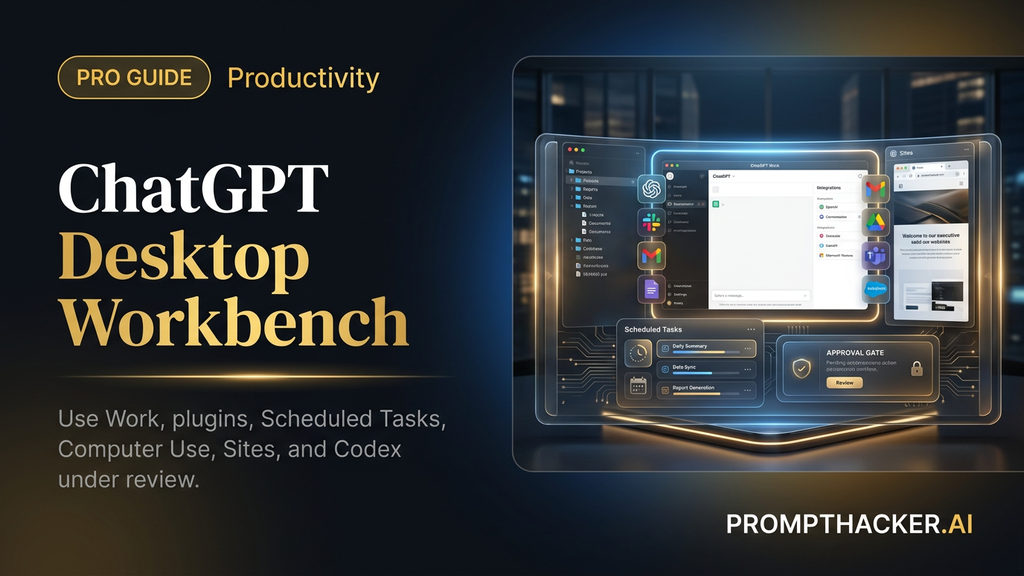
Set up ChatGPT Work, plugins, Scheduled Tasks, Sites, Computer Use, and Codex so the desktop app can finish real business workflows under review.
What matters today
Set up ChatGPT Work, plugins, Scheduled Tasks, Sites, Computer Use, and Codex so the desktop app can finish real business workflows under review.
Key points
- What you'll learn
- Official source note
- What changed
- Visual map: the desktop command center
- Choose the workflow that makes money first
What you'll learn
- How ChatGPT Work changes the desktop app from chat window to workbench
- Which first workflow can save money or time without creating new risk
- How plugins, Scheduled Tasks, Sites, Computer Use, and Codex fit together
- The approval rules to use before ChatGPT touches local files or connected apps
- A five-day rollout plan for one reviewed desktop workflow
A VP of Sales does not need another chatbot tab. She needs one place where the customer file, meeting notes, CRM context, Slack thread, and draft account plan can turn into a reviewed prep brief before tomorrow's call.
OpenAI's July 9 announcement makes that workflow more realistic. ChatGPT Work can gather context across apps and files, stay with complex projects for hours, and create finished materials such as sheets, slides, docs, Sites, and web apps. The updated desktop app also brings Chat, Work, and Codex into one surface for Mac and Windows.
The edge is not "let AI do everything." The edge is taking one expensive, repeatable workflow and cutting the assembly time while keeping human approval on the actions that matter.
Official source note
OpenAI's announcement says ChatGPT Work is rolling out on web and mobile first for Pro, Enterprise, and Edu, then Plus and Business over the next few days. The updated desktop app is available globally for Mac and Windows, with Chat, Work, and Codex available on every plan, including Free. Treat those as availability facts, not a promise that every connected workflow will behave the same on every account on day one.
What changed
ChatGPT Work is not just a better answer box. OpenAI describes it as an agent inside ChatGPT that can work across apps and files, break complex work into steps, and keep going while the human checks progress. The business shift is from "answer my question" to "prepare the artifact I already know how to review."
The desktop app matters because it moves the agent closer to the files, tools, browser, and coding work that Executives already use. The app now includes a built-in browser for web-based work, Computer Use for background actions across apps and browser steps, Sites for interactive dashboards and trackers, Scheduled Tasks for recurring workflows, and Codex for technical work.
OpenAI source image: the updated desktop menu puts Work, Codex, Scheduled, and Sites in one place.
Visual map: the desktop command center
This diagram is the safe first-week model. Sources feed ChatGPT Work, ChatGPT prepares a reviewable artifact, the human approves risky actions, and only proven workflows become Scheduled Tasks.
Use the map as a permission checklist before connecting anything. If a workflow cannot name its sources, output, review gate, and repeat rule, it is too broad for the first pilot.
Choose the workflow that makes money first
Pick a workflow with four traits: it repeats, source material is scattered, the final artifact has a known shape, and a human can review the result in under 15 minutes. Those are the workflows most likely to save money because the AI replaces assembly time, not judgment.
Strong first candidates:
- Sales meeting preparation from calendar, CRM, email, and Slack.
- Weekly business review prep from dashboards, customer issues, and team updates.
- Finance variance draft from a folder of spreadsheets and prior decks.
- Campaign brief from research notes, customer feedback, and positioning docs.
- Launch tracker from meeting notes, project tickets, and Drive folders.
Weak first candidates:
- Legal approval, hiring recommendation, payroll, medical advice, refunds, security changes, and live customer messaging.
- Anything that requires the AI to decide who gets paid, hired, fired, treated, refunded, or granted access.
The line is simple: ChatGPT may prepare the work. A person still owns the decision.
OpenAI source image: the plugin directory shows the connected apps that can become context sources.
Plugin connection rule
Connect only the tools the first workflow needs. A sales prep workflow might need calendar, CRM, email, and one Slack thread. It does not need finance folders, legal files, or the whole Drive. Every connected app expands the context the agent may use, so treat the plugin list as a permission surface, not a convenience menu.
First workflow prompt
Use this prompt before the first run. It forces the agent to ask questions, name boundaries, and stop before sensitive actions.
You are helping me set up a reviewed ChatGPT Work desktop workflow.
Goal: [describe the recurring output].
Sources allowed: [list apps, folders, files, and sites].
Sources not allowed: [list exclusions].
Final output: [doc, sheet, slide deck, Site, tracker, code review, or memo].
Before taking action, ask up to five clarifying questions. During the task, stop before sending, publishing, deleting, sharing externally, editing source-of-truth files, or changing permissions. End with a source list, assumptions, unresolved questions, actions taken, and the exact next action that needs human approval.
This prompt is boring on purpose. It lowers the odds that the first run becomes a vague demo. It also creates a review trail the team can inspect after the task finishes.
OpenAI source image: Work is designed to move between desktop and mobile review surfaces.
Scenario 1: sales meeting preparation
The money angle is straightforward. Better prep can raise the quality of a sales conversation without adding a coordinator to the process. A seller may already have the notes, emails, CRM records, and product context. The cost is the time required to pull it together.
Ask ChatGPT Work to prepare a one-page meeting brief and stop. The output should include account context, current opportunity status, stakeholder map, likely objections, missing information, and three questions to ask on the call. Do not let the first workflow send follow-up messages or update the CRM.
Prepare a one-page sales meeting brief for [account name] using only the CRM record, the calendar invite, recent emails from the last 14 days, and the Slack thread [channel or link]. Include account context, current opportunity status, stakeholder map, likely objections, three questions to ask, and missing information. Do not send messages or update CRM fields. Stop when the draft is ready for review.
The review metric is not whether the brief sounds polished. The metric is whether the seller can prepare faster and ask better questions on the call.
OpenAI source image: Work can turn customer and team context into a strategic account artifact.
Scenario 2: finance close and forecast review
OpenAI says its finance teams use ChatGPT Work and Codex to reduce month-end close and forecasting from days to hours by finding source data, moving it into Excel or Sheets, reconciling it, creating slides, and verifying results. That does not mean a finance team should skip review. It means AI can reduce the time spent assembling the materials.
For finance, the prompt needs a stricter evidence requirement. Every number needs a source file. Every explanation needs a confidence level. Every non-reconciling row needs a flag. The AI can draft the variance story, but the finance owner approves the interpretation.
Analyze this month-end budget variance. Use only the files in [folder name] and the prior-month forecast deck. Create a variance table with actual, forecast, dollar variance, percent variance, owner, likely explanation, and confidence level. Flag any row that does not reconcile. Draft three leadership-slide bullets, but do not edit the final deck until approved.
Visual review map for finance:
- Number found: source file required.
- Formula changed: formula explanation required.
- Variance explained: confidence level required.
- Slide drafted: finance owner approval required.
- Final deck edited: only after approval.
That map makes the AI useful to the finance team instead of dangerous to the forecast.
Scenario 3: launch tracker and Site
Sites are the sleeper feature for Executives because they turn a messy project into a visible working artifact. OpenAI says Sites can create interactive dashboards, project trackers, launch calendars, prototypes, internal portals, and reports. A launch team can use that surface to turn scattered source material into a leadership view.
Start with a private tracker. Give ChatGPT the launch plan, project tickets, meeting notes, and desired columns. Ask for owner, due date, status, dependency, risk, next step, and decision needed. Then ask it to draft a Site for leadership review, not public release.
OpenAI source image: the desktop app can work with trackers and sheets as reviewable artifacts.
Create a launch tracker from these source materials: [folder, project tracker, meeting notes]. Required fields: workstream, owner, due date, current status, dependency, risk, next step, and decision needed. Then draft a simple internal Site that summarizes launch health for leadership. Do not publish the Site publicly. Stop for review before sharing.
The Site should not be pretty first. It should be accurate first. Design can improve after the team trusts the data.
Scenario 4: Scheduled Tasks for recurring work
Scheduled Tasks are where the desktop upgrade becomes a habit. OpenAI says Scheduled Tasks can perform an action once, repeat on a schedule or event, and monitor changes over time. Examples include reviewing Slack updates, checking dashboards, monitoring customer feedback, and updating presentations from new email.
The first scheduled workflow should be low-risk and high-repeat. A weekly business review draft is ideal. It can gather changes from dashboards, Slack, CRM, and customer feedback, then prepare an agenda for review.
OpenAI source image: Scheduled Tasks can turn recurring review prep into a repeated workflow.
Every Monday at 8am, prepare a weekly business review draft. Check [dashboard], [Slack channel], [CRM report], and [customer feedback folder]. Update the agenda doc with changed metrics, open decisions, new risks, and owner follow-ups. Do not send the agenda. Notify me when the draft is ready for review.
Do not schedule the workflow until the manual version works twice. A bad manual workflow becomes a worse recurring workflow.
Computer Use approval ladder
OpenAI says Computer Use can execute background tasks across apps, tools, and browser by clicking, typing, and moving files. That can save time, but it also expands the blast radius of a vague prompt.
Use this ladder:
- Read only: gather sources, summarize files, compare pages.
- Draft only: create a memo, table, brief, tracker, or private Site.
- Prepare change: stage a doc update, file organization, or draft response.
- Ask approval: show action, source, assumption, and risk.
- Execute approved action: only after the human confirms.
First-week rule: stop at step 2. Second-week rule: test step 3 on private files. Move beyond that only when the workflow has a written approval rule.
Where Codex fits
The Codex merge matters because technical and business work now sit closer together. OpenAI says Codex keeps its coding-agent role and adds capabilities such as inline editing in diffs, pull request review in the side panel, faster computer use, and multiple repositories in one project.
For a product team, Work should create the accepted business brief. Codex should work only after a human approves the requirement. A customer complaint should not automatically become a code change. A reviewed customer problem can become a ticket, a spec, a patch draft, and a pull request note.
Technical handoff map:
- Work summarizes the customer problem and acceptance criteria.
- Human approves the requirement.
- Codex drafts implementation or review notes.
- Engineering reviews diffs and tests.
- Normal merge policy remains in charge.
That keeps the new desktop app from bypassing the team's existing engineering controls.
Governance rules for teams
The governance question is not "Do you trust AI?" The better question is "What is the agent allowed to read, create, change, and share?"
Borrow this one-page policy for the first pilot:
- Allowed sources: list the exact folders, apps, channels, reports, or websites.
- Blocked sources: name excluded folders, private channels, legal files, finance files, and sensitive customer records.
- Allowed actions: read, summarize, draft, organize, compare, and prepare.
- Approval actions: send, publish, share, delete, change permissions, update CRM, edit source-of-truth files, or create external commitments.
- Required output: source list, actions taken, assumptions, confidence level, unresolved questions, and approval request.
- Measurement: manual time, AI run time, review time, cleanup time, and accepted output quality.
The source-and-action log matters most. It turns agent work from invisible activity into something the team can inspect.
Five-day rollout plan
Day 1: install or update the desktop app, confirm account availability, and choose one workflow.
Day 2: connect only the sources needed for that workflow. Do not connect the whole company because the plugin directory makes it easy.
Day 3: run the workflow manually through ChatGPT Work. Review source list, assumptions, output quality, and cleanup time.
Day 4: revise the prompt and run it again. If the second run does not improve, narrow the source folder or simplify the output.
Day 5: decide whether to schedule it. Schedule only if the second reviewed run saves time after cleanup.
Failure modes to watch
First, the agent may use the wrong source with a confident tone. The fix is a required source list and a question that asks, "Which source was weakest?"
Second, the agent may prepare an artifact that looks finished but hides assumptions. The fix is a required assumption section before the recommendation.
Third, the team may schedule a workflow before the manual workflow is good. The fix is two reviewed manual runs before any schedule.
Fourth, the tool may create more review work than it saves. The fix is measurement after human cleanup, not before.
What to measure after the pilot
The first pilot should end with a small scorecard, not a feeling. Track manual time, AI run time, human review time, cleanup time, and final accepted quality. The only number that matters for adoption is time saved after review.
Use this format:
- Manual baseline: how long the task took last time without ChatGPT Work.
- AI run time: how long the agent needed to prepare the draft.
- Review time: how long the human needed to check sources, assumptions, and output.
- Cleanup time: how long edits, corrections, and formatting took.
- Accepted output: whether the final artifact was used in real work.
If the manual baseline is 60 minutes and the AI version takes 15 minutes to run, 20 minutes to review, and 10 minutes to clean up, the workflow saved 15 minutes. That may be worth scheduling if it repeats weekly. If review and cleanup erase the savings, the workflow needs a narrower source set or a simpler output.
How to brief the team
When introducing the desktop workflow to a team, do not lead with the feature list. Lead with the job it removes.
Say: "This workflow prepares the weekly business review draft from the same dashboard, Slack channel, CRM report, and feedback folder. It cannot send the agenda. It stops for review with sources and assumptions."
That sentence is more useful than a tour of Work, Plugins, Computer Use, Sites, Scheduled Tasks, and Codex. Executives adopt tools when the workflow makes a painful job smaller.
The upgrade path
A strong first workflow creates a ladder for the next three months. Month one is draft-only. Month two adds Scheduled Tasks for recurring drafts. Month three expands to one approved write action, such as updating a private working sheet or refreshing a non-public Site.
Do not skip the ladder. Teams get into trouble when they connect every app, schedule the workflow, and allow write actions before the first review habit exists.
The simplest ROI test
Use a rough but honest calculation. Multiply the minutes saved after review by the number of times the workflow repeats each month. Then multiply that by the hourly cost of the person who usually performs the work. If a weekly sales prep workflow saves 25 reviewed minutes and repeats 12 times per month across the team, that is 300 minutes returned before any quality upside.
The chart keeps the adoption math honest. A workflow that looks fast during the AI run may still fail if review and cleanup erase the savings.
That number does not need to be perfect. It needs to be concrete enough to decide whether to keep testing, narrow the workflow, or stop. The desktop app earns a place in the operating rhythm only when the math survives review.
One more practical measure helps: count avoided handoffs. If the old sales prep process required a manager, a rep, and a revenue-ops teammate to assemble one brief, the desktop workflow may save more than minutes. It may reduce the number of people needed to touch routine preparation. That is where the tool starts to make money, because fewer handoffs mean fewer delays before the next customer conversation.
Track that separately from time saved, because a faster workflow with fewer handoffs usually compounds across pipeline reviews, customer escalations, and launch meetings.
Action Steps Summary
- Pick one familiar workflow. Start with sales prep, finance variance review, launch tracking, customer-feedback synthesis, or weekly business review prep.
- Constrain the context. Connect only the plugins, folders, apps, and sites needed for the first run.
- Use the reviewed-workflow prompt. Require questions, source lists, assumptions, confidence, and approval stops.
- Add visuals where they help orientation. Use OpenAI's desktop, plugin, scheduled-task, and tracker screenshots to show the surface, not to decorate the page.
- Schedule only after review. Convert the workflow into a Scheduled Task only after the second run saves time after human cleanup.
Footer CTA
Three deep dives. Four useful moves. One email worth opening.
PromptHacker turns the AI firehose into practical next steps for work, health, family, and everything time keeps trying to steal.