Pro Tip: Use ChatGPT's Model Picker Before the Prompt
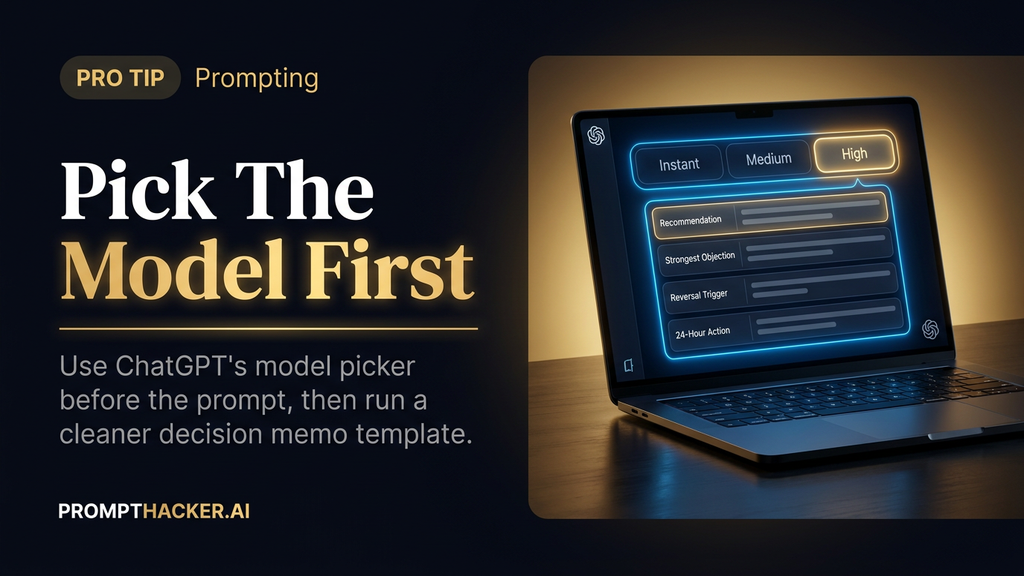
OpenAI simplified the ChatGPT model picker on June 10, 2026 so Plus and Pro users can choose reasoning levels from the composer. The important habit is simple: choose the model behavior in the interface before you write the prompt.
What matters today
OpenAI simplified the ChatGPT model picker on June 10, 2026 so Plus and Pro users can choose reasoning levels from the composer. The important habit is simple: choose the model behavior in the interface before you write the prompt.
OpenAI simplified the ChatGPT model picker on June 10, 2026 so Plus and Pro users can choose reasoning levels from the composer. The important habit is simple: choose the model behavior in the interface before you write the prompt.
Do not spend prompt tokens telling ChatGPT to "use high reasoning" when the interface already gives you the control. Pick the right mode first, then use the prompt to define the work.
That is the whole pro tip. The model picker is a workflow control. The prompt is an instruction set. Do not make one do the other's job.
The better habit
Use Instant for routine drafting, summaries, rewrite passes, and low-risk questions. Use higher reasoning when the decision has cost, timing, people, customer, compliance, or reputational consequences.
Then prompt for the actual decision structure.
Here is the cleaned-up version:
Act as a decision editor for an Executive. Decision: [DECISION] Context: [FACTS] Constraints: [BUDGET, TIME, PEOPLE, RISK, CUSTOMER IMPACT] Options: [A/B/C] Success looks like: [SUCCESS CRITERIA] If one missing fact would materially change your answer, ask for it first. Otherwise, state your assumptions and proceed. Compare the options in a table with upside, downside, hidden assumption, failure mode, and best-case use. Then give: 1. recommended option, 2. strongest argument against it, 3. what would make you reverse the call, 4. first action in the next 24 hours, and 5. owner plus check-in metric.
Why this prompt is stronger
It does not waste words restating the model mode. It spends those words on decision quality.
The role gives the model a clear posture: decision editor, not motivational coach.
The context fields keep the answer grounded in your facts.
The constraints force tradeoffs into the answer.
The success criteria tell the model what good means before it starts optimizing.
The missing-fact gate prevents false certainty. If the model needs one fact that would materially change the answer, it should ask for it before drafting a confident memo.
The table makes the comparison inspectable. Upside, downside, hidden assumption, failure mode, and best-case use are hard to hide behind.
The final five outputs turn the response into a usable memo: recommendation, objection, reversal trigger, next action, and owner.
Free subscriber access
Keep reading with your free PromptHacker subscription.
Enter the email on your PromptHacker subscription. If access is available, a secure link will arrive in that inbox.
New to PromptHacker? Join the free weekly briefing first.
Three deep dives. Four useful moves. One email worth opening.
PromptHacker turns the AI firehose into practical next steps for work, health, family, and everything time keeps trying to steal.