PH PROMPTHACKER.AI
Issue 29 | ChatGPT Memory, Copilot in Edge, and the AI That Finally Knows You

ChatGPT Memory, Copilot in Edge, and the AI That Finally Knows You

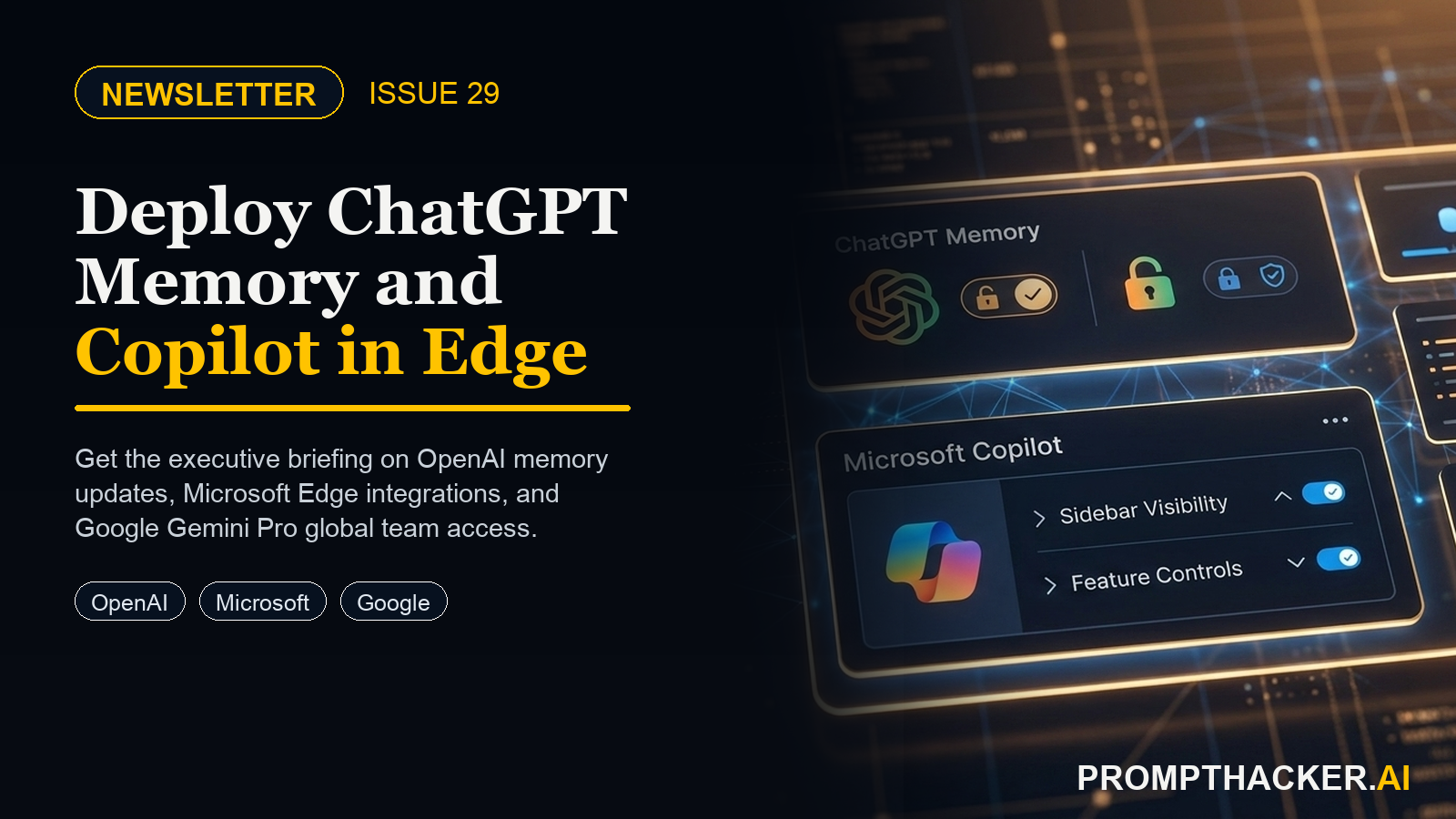
AI tools are getting personal. OpenAI began testing ChatGPT Memory, a feature that lets the AI remember your preferences, role, and context across every conversation. Microsoft Copilot moved into the Edge browser sidebar, where it can read and analyze any webpage or PDF you open without any copy-paste required. Google
9 min read
Quick Scan

What matters today

AI tools are getting personal. OpenAI began testing ChatGPT Memory, a feature that lets the AI remember your preferences, role, and context across every conversation.

Format Weekly newsletter issue
Audience Executives using AI at work
Time 9 min read
Topic ChatGPT Memory, Copilot in Edge, and the AI That Finally Knows You

Welcome byte

AI tools are getting personal. OpenAI began testing ChatGPT Memory, a feature that lets the AI remember your preferences, role, and context across every conversation. Microsoft Copilot moved into the Edge browser sidebar, where it can read and analyze any webpage or PDF you open without any copy-paste required. Google expanded Bard with Gemini Pro to 40+ languages globally.

Quick Hits

#01

Five quick hits below, three deep dives on AI personalization and browser-embedded AI, one prompt for building a personal AI assistant that knows your context today, and one competitive research workflow using Copilot in Edge.

01 / Quick Hits

#02

OpenAI: ChatGPT Memory Testing Begins for Plus Users

OpenAI began rolling out ChatGPT Memory to a small group of Plus users in late January 2024, allowing the AI to retain user preferences, role, and context across conversations.

#03

Executive angle: Start writing down the context you would want ChatGPT to remember about your role today -- you will need it ready when memory rolls out to your account.

Top Updates

Upgrade to PromptHacker Premium for the full archive of executive AI playbooks.

Pro Tip

Deep dive

20-Minute Competitive Research Workflow Using Copilot in Edge

A repeatable workflow for using Microsoft Copilot in Edge to analyze competitor websites, extract key insights, and produce a structured competitive brief in under 20 minutes.

Copy-ready guide
Deep dive

Build a Personal AI Assistant That Remembers Your Preferences

One prompt sequence that primes ChatGPT to know your role, communication style, and recurring needs before memory is fully available. Works today.

Copy-ready guide

Productivity Gem

#2 Microsoft: Copilot Embedded in Edge Browser Sidebar

Microsoft Copilot is now available in the Edge browser sidebar, capable of reading and analyzing any open webpage or PDF without copy-paste, plus a Compose mode for in-context drafting.

Executive angle: Install Edge if not already your default browser and test Copilot on your next analyst report or competitor website visit -- the copy-paste tax disappears immediately.

Read more ->

#3 Google: Bard Expands Gemini Pro to 40+ Languages

Google expanded Bard with Gemini Pro to more than 40 languages in late January 2024, with the same model quality across Spanish, French, German, Portuguese, Japanese, Korean, and dozens more.

Executive angle: Executives with international teams should test Bard in each working language this week and compare quality to current multilingual AI tool outputs.

Read more ->

#4 Anthropic: Claude 2.1 Accessible via API with 200k Context Window

Anthropic's Claude 2.1, featuring a 200,000-token context window (roughly 150,000 words), became broadly accessible via API in early 2024, positioning it as the leading option for long-document analysis tasks.

Executive angle: Development teams building internal AI tools for long-document workflows should evaluate Claude 2.1 alongside GPT-4 Turbo for context window advantage.

Read more ->

#5 Perplexity AI: Pro Search Feature Launches

Perplexity AI introduced Pro Search, a deeper research mode that runs multiple searches, synthesizes results across sources, and produces longer, more thoroughly cited answers for complex research queries.

Executive angle: Executives using AI for competitive or market research should trial Perplexity Pro Search as a complement to their current research workflow for complex questions.

Read more ->

02 / Top AI Updates | 3 Deep Dives

# 01 / 03

OpenAI began testing ChatGPT Memory in late January 2024 for a small group of Plus users, with broader rollout expected in coming months. Memory allows ChatGPT to retain user preferences, role, communication style, and recurring context across conversations, eliminating the repeated context re-entry tax that costs executive ChatGPT users 12-60 hours per year. The deeper value is output quality: a ChatGPT that knows your industry, audience, and style produces dramatically better first drafts.

Business Impact

Eliminates: The 30-90 second context re-entry requirement at the start of every ChatGPT session for executives who provide role and preference information

Time back: 35-100 minutes per week for executives who open ChatGPT 5-10 times daily, from reduced setup time and fewer editing cycles on first drafts

Best for: Executives who use ChatGPT daily for drafting, analysis, and communications and currently repeat the same background context in every session

Executive Action Steps

  • Write down your professional context across six categories: role and organization, communication style, audience profile, recurring topics, output preferences, and working constraints.
  • Check your ChatGPT account settings under Personalization to see if Memory is available for your account yet.
  • If Memory is not yet available, use the context primer prompt from Article 4 this issue as an immediate workaround that produces similar output improvements.
  • Set a calendar reminder every 90 days to review and update your memory bank or saved context prompt as your role and priorities evolve.

Why it matters: The executives who articulate their context clearly now, whether through early memory access or saved context prompts, will have a 6-12 month output quality advantage by the time memory reaches full availability.

Deep dive: ChatGPT Memory Executive Productivity ->

# 02 / 03

Microsoft Copilot is now embedded in the Edge browser sidebar, accessible with a single click. It reads any open webpage or PDF and answers questions about the content without requiring copy-paste. The Compose mode drafts content based on what is visible on screen. Both modes are free with a Microsoft account. For executives who spend significant time reading reports and competitor sites, this eliminates the copy-paste loop between browser and ChatGPT entirely.

Business Impact

Eliminates: The copy-paste workflow between browser and ChatGPT for document summarization, competitive website analysis, and in-context email drafting

Time back: 45 minutes to 2 hours per week for executives who review 3-5 long reports weekly and spend significant time on competitive research

Best for: Strategy, product, and marketing executives who regularly read analyst reports, competitor sites, and industry publications as part of their weekly workflow

Executive Action Steps

  • Download Microsoft Edge at microsoft.com/edge if not already installed. Sign in with your Microsoft account.
  • Open any PDF report or analyst document in Edge by dragging it into the browser or clicking a PDF link.
  • Click the Copilot icon in the top right corner of Edge to open the sidebar. Ask: 'Summarize the key findings of this document in 5 bullet points.'
  • Navigate to a competitor website with Edge open and ask Copilot: 'Based on this website, what are the three main value propositions this company leads with?'

Why it matters: Copilot reads documents as Edge renders them, preserving structural context that copy-paste workflows break. Tables, multi-column layouts, and formatted reports are analyzed with higher fidelity than text pasted into ChatGPT.

Deep dive: Microsoft Copilot in Edge Browser Documents ->

# 03 / 03

Google Bard Gemini Pro Goes Global: Now Available for Your Whole Team

Google expanded Bard with Gemini Pro to 40+ languages in late January 2024, bringing the same high-capability model to Spanish, French, German, Portuguese, Japanese, Korean, and dozens more. The expansion also includes image understanding capabilities and a confirmed Google Workspace integration roadmap covering Gmail, Docs, Sheets, Slides, Meet, and Drive through 2024. For executives with international teams, this is the most practically significant AI update of the January 2024 cycle.

Business Impact

Eliminates: The translation-before-input workaround for non-English content in AI workflows, and the quality gap between English-language and multilingual AI outputs

Time back: 30-60 minutes per week for international teams currently running manual translation steps before AI processing

Best for: Executives managing international teams or serving clients in multiple languages, and Google Workspace organizations evaluating their AI integration roadmap

Executive Action Steps

  • Open bard.google.com and test Bard in each of the languages your team works in. Draft a professional email, summarize a paragraph, and answer a business question in each language.
  • Test image understanding by uploading a chart screenshot or slide image and asking Bard to describe the key finding or summarize the content.
  • Review the Google One AI Premium page ($19.99/month) for early access to Gemini Advanced and Workspace integration features.
  • Identify the top 3 multilingual workflows in your organization and evaluate whether Bard's expanded language support eliminates the current translation step.

Why it matters: The combination of 40+ language support, image understanding, and the Workspace integration roadmap makes Bard the most capable Google Workspace-native AI platform to date, with a clear integration path that Microsoft 365 Copilot already demonstrates is achievable.

Deep dive: Google Bard Gemini Pro Team Expansion ->

03 / Pro Tip

Build a Personal AI Assistant That Remembers Your Preferences

Tools: ChatGPT Plus or Team | Time: 10 min setup | Level: Beginner

ChatGPT Memory is in early testing and not yet available to most executives. The immediate workaround is a context primer prompt: one block of text pasted at the start of any important ChatGPT session. When structured across the right six categories, it consistently reduces editing time by 30-50% by producing better-calibrated first drafts. This is also the content you will store in memory when it becomes available, so building it now serves double duty.

The Prompt

Why it works: Role specificity, explicit style constraints, and current priorities are the three fields that change ChatGPT output quality most dramatically. ChatGPT's default style (moderate length, hedged language, collegial tone) does not match most executive communication preferences. This prompt overrides those defaults with your actual preferences from the first message of every session.

Best for: Any executive using ChatGPT more than three times per week who wants to stop re-entering background context. Works with ChatGPT Plus, Team, and Enterprise. Also compatible with Claude and Gemini Advanced using the same structure.

Deep dive: Build a Personal AI Assistant That Remembers Your Preferences ->

04 / Productivity Gem

The 20-Minute Competitive Research Workflow

Tools: Microsoft Copilot in Edge | Saved: 2.5-3.5 hours per competitor

A repeatable four-prompt workflow that turns a competitor website visit into a structured competitive brief in under 20 minutes. The same workflow scales to 3-5 competitors in a single session, producing a comparison-ready output with one additional synthesis prompt. Previous manual process: 3-4 hours per competitor. Copilot in Edge workflow: 20 minutes.

  • Open Edge, sign in with your Microsoft account, navigate to the competitor's homepage, and click the Copilot icon to open the sidebar in Chat mode.
  • Use Prompt 1 (homepage): 'Based on this website homepage, describe the company's positioning in 3-4 sentences. What is their primary value proposition? Who is their target customer? What three benefits do they lead with?'
  • Navigate to their pricing page and use Prompt 2: 'Analyze this pricing page. What are the tiers? What features differentiate each tier? Who is the primary buyer at each tier?'
  • Navigate to their customers or case studies page, use Prompt 3 (outcomes focus), then use Prompt 4 to assemble the full one-page competitive brief in the Copilot sidebar.

The Prompt

Time savings: Saves 2.5-3.5 hours per competitor per research cycle. For teams tracking 5 competitors quarterly, that is 50-70 hours per year returned from manual research to strategic analysis.

Deep dive: The 20-Minute Competitive Research Workflow ->

The January 2024 AI cycle introduced a theme that will define the next 12 months: AI that knows you. ChatGPT Memory is the earliest signal. Copilot's browser integration is the practical implementation available today. The platform that learns your context, your preferences, and your recurring work patterns will become the platform executives reach for automatically.

The executives who define their context clearly now, build repeatable workflows around today's tools, and run structured evaluations of new capabilities as they arrive will compound that advantage month by month.

Forward this issue to one executive who is still using a blank-slate AI workflow every day. The context primer prompt alone will change their next session.

Premium Upgrade

Productivity gem

Google Bard Gemini Pro Goes Global: Now Available for Your Whole Team

Bard with Gemini Pro expanded to 40+ languages in January 2024. Here is what global executive teams need to know about Bard's multilingual capabilities and upcoming Workspace integration.

Put it to work
Productivity gem

ChatGPT Memory: What Executive Productivity Looks Like When AI Knows Your Context

OpenAI is testing persistent memory for ChatGPT Plus users. When fully live, it means ChatGPT remembers your role, preferences, and recurring context across every conversation.

Put it to work

Wrap Up

About the author

Pierre Bradshaw Founder, PromptHacker.ai

Pierre has spent 25+ years building growth systems across fintech, real estate, lending, campaigns, and AI workflows, with $1.5B+ in client value delivered.

If you have any questions or comments about ChatGPT Memory, Copilot in Edge, and the AI That Finally Knows You feel free to reach out. I'd love to hear from you.

Contact Pierre
Free weekly briefing

Three deep dives. Four useful moves. One email worth opening.

PromptHacker turns the AI firehose into practical next steps for work, health, family, and everything time keeps trying to steal.