PH PROMPTHACKER.AI

Zoom AI Automates Event Content Creation for Maximum Reach

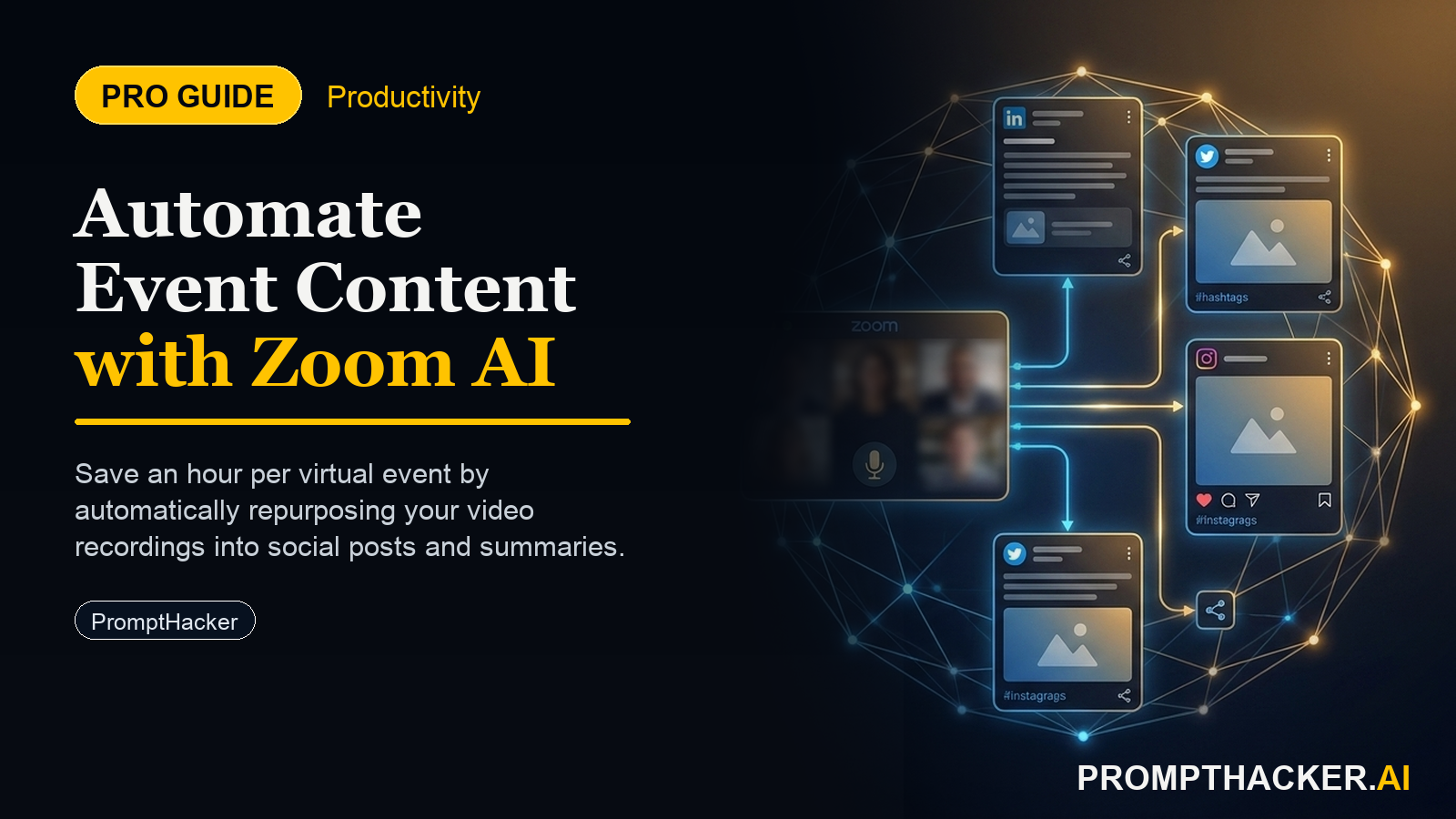
Maximize virtual event reach and save 60 minutes per event by automating content repurposing with Zoom's new AI.

July 30, 2025 8 min read
zoom ai automates event content creation
Quick Scan

What matters today

Maximize virtual event reach and save 60 minutes per event by automating content repurposing with Zoom's new AI.

Format TOP UPDATE
Audience Executives using AI at work
Time 8 min read
Topic Top Update

Key points

  • Understanding the AI-Powered Content Generation Workflow
  • Step 1: Activate and Configure AI Content Generation
  • Step 2: Record Your Virtual Events as Usual
  • Step 3: AI Processes and Generates Derivative Content
  • Step 4: Review, Refine, and Publish

What you will learn in this article:

  • How to automatically generate marketing content from your virtual events.
  • How to maximize content reach across platforms without increasing marketing headcount.
  • How to save 60 minutes per event in content repurposing efforts for your team.
  • How to integrate AI-generated event content into your existing marketing strategy.
  • How to establish a review process for AI-produced content to maintain brand consistency.

A marketing director at a rapidly growing SaaS company faces the annual challenge of scaling content production to match an aggressive virtual event schedule. Each month, the company hosts four webinars, two customer roundtables, and one industry panel. Manually transforming these recorded sessions into blog posts, social media updates, and email snippets consumes significant marketing hours, often delaying follow-up campaigns and limiting content distribution. The team struggles to keep pace, frequently missing opportunities to engage attendees and attract new leads through repurposing.

The stakes are high. Without efficient content repurposing, valuable insights from virtual events remain locked within recordings, diminishing their long-term impact. Marketing teams become bottlenecks, diverting resources from other critical initiatives and experiencing burnout from repetitive tasks. This leads to reduced lead generation, missed SEO opportunities, and an overall lower return on investment for virtual event programs. The company risks falling behind competitors who effectively extend the lifecycle of their event content.

Zoom has introduced an AI-powered solution designed to directly address these challenges. This new feature automatically generates derivative content, such as blog posts and social media clips, directly from recorded virtual sessions. This enables organizations to maximize the reach of their virtual events without increasing marketing headcount, offering a tangible saving of 60 minutes per event in content repurposing. This article details how to implement this capability, integrate it into your marketing workflows, and measure its impact to drive greater efficiency and audience engagement.

The ability to automatically transform recorded virtual events into a variety of marketing assets represents a significant shift in content strategy. Zoom's new AI functionality is not merely a transcription service; it actively analyzes recorded sessions to produce ready-to-use content. This includes summarized blog posts capturing key takeaways, concise social media clips highlighting impactful moments, and other short-form derivatives that extend the life and reach of your virtual events. For executives overseeing marketing operations, this feature offers a clear path to enhanced efficiency and expanded audience engagement.

Understanding the AI-Powered Content Generation Workflow

Implementing Zoom's AI for event content creation involves a streamlined process that integrates directly with your existing virtual event infrastructure. The core idea is to move from a manual, labor-intensive repurposing model to an automated, AI-assisted one.

Step 1: Activate and Configure AI Content Generation

The initial step involves activating the AI content generation feature within your Zoom account settings. This typically resides in the administrative panel, under event or recording settings. Executives should ensure their IT and marketing teams collaborate to enable this feature across relevant accounts. Configuration options may allow for specifying the types of derivative content desired (e.g., blog summaries, social clips, email snippets) and potentially setting parameters for length or focus. It is crucial to review privacy settings and user consent policies, especially if recordings include participant interactions, to ensure compliance with data protection regulations.

Executive Insight:

Before full deployment, conduct a small-scale pilot with a few internal or less critical events. This allows your team to understand the AI's output quality and adjust settings without impacting core marketing campaigns. Document any specific requirements or preferences the AI needs to learn during this phase.

Step 2: Record Your Virtual Events as Usual

The beauty of this system lies in its seamless integration with your existing event hosting. Continue to conduct your webinars, workshops, and meetings on Zoom as you normally would, ensuring that recording is enabled. The AI operates on the recorded session, so the quality of the original recording directly influences the quality of the AI-generated content. Encourage presenters to speak clearly, use visual aids effectively, and structure their sessions with clear segments, as this often leads to more coherent AI-generated summaries.

Step 3: AI Processes and Generates Derivative Content

Once a session concludes and the recording is processed by Zoom, the AI automatically begins its work. It analyzes the audio, video, and potentially chat transcripts to identify key themes, speakers, and moments. This processing occurs in the background, requiring no manual intervention from your team. The output is a set of draft content assets, such as a blog post draft summarizing the event, several short video clips optimized for social media, and perhaps bullet points for an email newsletter. The system is designed to accelerate the initial draft creation, eliminating the blank page syndrome for content creators.

Business Scenario:

Consider a head of marketing for a B2B software company that runs weekly product demo webinars. Previously, a content specialist spent half a day each week manually transcribing and summarizing these demos into blog posts and social updates. With Zoom's AI, the content specialist now receives a comprehensive draft within hours of the recording, allowing them to focus on strategic refinement rather than initial creation. This frees up 20 hours per month for higher-value activities like campaign optimization or new content strategy development.

Step 4: Review, Refine, and Publish

The AI-generated content is a powerful draft, not a final product. This step is critical for maintaining brand voice, accuracy, and editorial quality. Your marketing team will review the AI's output, making necessary edits for tone, style, factual correctness, and SEO optimization. They can select the most impactful social media clips, adjust blog post headlines, and integrate calls to action specific to your campaigns. This stage shifts the marketing team's role from content creation to content curation and enhancement, maximizing their strategic impact.

Edge Cases and Failure Modes:

Inaccurate Summaries: The AI might misinterpret nuances or technical jargon, leading to inaccurate summaries. A robust human review process is essential to catch and correct these errors before publication. Generic Content: AI-generated content can sometimes lack the unique voice or specific examples that resonate with your target audience. Human editors must infuse the brand's personality and specific storytelling elements. Compliance Concerns: If event discussions involve sensitive customer data or proprietary information, ensure the AI's processing and subsequent content generation adhere to all internal and external compliance standards. Establish clear guidelines for what types of content can be automatically processed and published. Over-reliance: While efficient, over-reliance on AI without human oversight can lead to a decline in content quality and originality over time. Position the AI as an assistant, not a replacement for creative human input.

Strategic Benefits for Marketing and Sales Teams

The immediate benefit of Zoom's AI content creation is the tangible time savings. Saving 60 minutes per event in content repurposing quickly compounds across an organization's event calendar. For a company hosting 20 virtual events per quarter, this translates to 20 hours saved, allowing marketing teams to reallocate efforts to strategic planning, performance analysis, or creative campaign development.

Beyond time savings, the strategic advantages are multifaceted:

  • Extended Content Reach: By rapidly generating multiple content formats, organizations can distribute event insights across a wider array of channels. A single webinar can yield a blog post for the corporate website, short video clips for LinkedIn and Instagram, key takeaways for an email campaign, and even soundbites for a podcast. This maximizes the return on the effort invested in the original event.
  • Increased SEO Opportunities: Each new piece of content, whether a blog post or a video description, creates fresh opportunities for organic search visibility. AI-generated summaries, once optimized by human editors, can target relevant keywords and drive inbound traffic long after the live event concludes.
  • Enhanced Sales Enablement: Marketing can provide sales teams with timely, digestible content from events. Short, impactful clips or key summaries can be easily shared by sales representatives with prospects, reinforcing value propositions and addressing common questions. This equips sales with relevant collateral, improving their ability to engage leads effectively.
  • Data-Driven Content Strategy: With more content being produced and distributed, marketing teams gain more data points on what resonates with their audience. Tracking engagement with different AI-generated content formats can inform future event planning and content creation strategies.
  • Cost Efficiency: By reducing the manual labor involved in content repurposing, organizations can achieve higher output without needing to expand their marketing headcount. This translates directly to operational cost savings while maintaining or even increasing content velocity.

Integrating AI-Generated Content into Your Marketing Ecosystem

For this feature to truly deliver its value, it must be integrated thoughtfully into your broader marketing ecosystem.

  • Define Content Governance: Establish clear roles and responsibilities for reviewing, editing, and approving AI-generated content. Who owns the final sign-off? What are the quality benchmarks?
  • Standardize Templates: While the AI generates drafts, having standardized templates for blog posts, social media updates, and email snippets can help human editors quickly adapt the AI's output to your brand's specific formats and calls to action.
  • Automate Distribution (Post-Review): Explore integrating your content management system (CMS) and social media scheduling tools with Zoom's output, once the content has been human-reviewed. This further streamlines the publishing process.
  • Train Your Team: Provide training for your marketing team on how to effectively interact with AI-generated content. This includes understanding its capabilities and limitations, refining prompts (if applicable for future iterations), and efficiently editing for maximum impact. The goal is to make them AI-augmented content strategists, not just editors.

Bottom line

The useful move with Zoom AI Automates Event Content Creation for Maximum Reach is to run one narrow test this week, then keep only the workflow that saves time, improves a decision, or gives your team clearer output. Treat the announcement as raw material, not the win itself.

About the author

Pierre Bradshaw Founder, PromptHacker.ai

Pierre has spent 25+ years building growth systems across fintech, real estate, lending, campaigns, and AI workflows, with machine-learning work dating back to 2012.

If you have any questions or comments about Zoom AI Automates Event Content Creation for Maximum Reach feel free to reach out. I'd love to hear from you.

Contact Pierre
Free weekly briefing

Three deep dives. Four useful moves. One email worth opening.

PromptHacker turns the AI firehose into practical next steps for work, health, family, and everything time keeps trying to steal.