Meta AI in Messaging: AI Where Business Already Happens
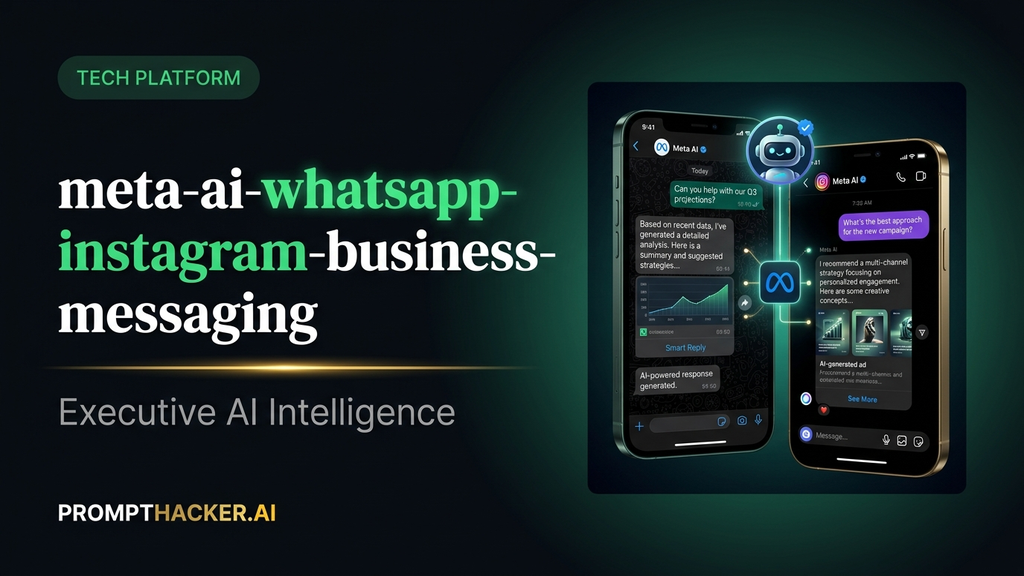
How to integrate Meta AI into your existing WhatsApp and Instagram workflows for instant research.
What matters today
How to integrate Meta AI into your existing WhatsApp and Instagram workflows for instant research.
Article roadmap
What you will learn
-
How to integrate Meta AI into your existing WhatsApp and Instagram workflows for instant research.
-
Strategies for drafting customer responses and social media content directly within messaging apps.
-
Methods to create quick FAQ responders in Messenger for improved customer service.
-
Techniques for training your team to use Meta AI for initial customer response drafts, boosting efficiency.
-
How embedded AI removes adoption friction and accelerates business AI usage.
Why Meta AI Messaging matters now
A sales director at a growing e-commerce company relies heavily on WhatsApp to communicate with international distributors and key customers. Daily, questions arise about product specifications, market trends, or competitive pricing. Currently, answering these questions requires switching between WhatsApp, a web browser for research, and perhaps a separate AI tool to draft a concise summary. This constant app switching breaks focus, slows response times, and ultimately delays critical business decisions. The director's team spends valuable minutes every hour just navigating between applications.
If this friction persists, customer satisfaction can decline due sales teams not having immediate access to information. Sales cycles lengthen, and opportunities are lost to competitors who can respond faster and more effectively. The cumulative effect of these small delays can significantly impact quarterly revenue targets and overall team productivity. The business risks appearing less agile and responsive in a fast-paced market.
This article details how Meta AI's expansion into WhatsApp, Instagram, and Facebook Messenger eliminates this app-switching overhead. By embedding AI directly into the messaging platforms executives already use for business, Meta removes the biggest barrier to AI adoption. Discover how customer-facing teams can conduct instant research, draft content, and streamline communication without ever leaving their primary messaging interface.
Meta AI Messaging executive action plan
Meta AI's integration into WhatsApp, Instagram, and Facebook Messenger fundamentally changes how executives and their teams can leverage AI in their daily communication workflows. Instead of treating AI as a separate application requiring a dedicated login and context transfer, Meta has positioned it as an intrinsic part of the messaging experience. This strategic move directly addresses the adoption challenge faced by many AI tools: the "switching cost." When AI is available where business conversations already happen, its utility becomes immediate and intuitive.
Consider a marketing manager responsible for social media engagement across multiple regions. Previously, drafting engaging Instagram captions or responding to customer inquiries on Facebook might involve brainstorming, then opening a separate AI writing assistant, generating text, and finally pasting it back into Instagram or Messenger. This multi-step process is now collapsed into a single, seamless interaction within the Meta platform.
1. Initiating a Conversation with Meta AI in WhatsApp
The simplest way to begin using Meta AI for business is by starting a direct conversation with it in WhatsApp. This dedicated chat acts as your personal AI assistant, ready to answer queries, draft content, or summarize information.
- Step 1: Locate Meta AI. Open WhatsApp. At the top of your chat list, you will find a dedicated Meta AI icon or a chat labeled "Meta AI." Tap this to start a new conversation. This is your direct line to the AI, operating similarly to a personal chat.
- Step 2: Formulate your query. Think of Meta AI as an expert research assistant. For example, if a sales team needs quick information on a competitor, a prompt like "Summarize the competitive landscape for [product category]" can be used.
- Step 3: Review and refine. Meta AI will generate a response. Review its accuracy and relevance. If necessary, ask follow-up questions to refine the output. For instance, "Focus on their pricing strategy" or "Provide specific examples of their recent marketing campaigns." This iterative process ensures the AI provides the most useful information.
- Step 4: Share insights. Once satisfied with the AI's response, you can directly forward it to a relevant team member or a group chat within WhatsApp. This eliminates the need to copy-paste information across applications, maintaining context and speeding up information dissemination.
Example Scenario: Market Research for a New Product Launch
A product manager is discussing a new feature rollout with the sales team in a WhatsApp group. A question arises about how a specific competitor positions a similar feature. Instead of pausing the conversation to search, the product manager can quickly switch to their Meta AI chat.
- Prompt: "Summarize the key selling points and target audience for 'Competitor X's' new 'Feature Y'."
- Meta AI Response: Provides a concise, bulleted summary of Feature Y's benefits, target demographics, and unique value proposition.
- Action: The product manager forwards this summary directly into the sales team group, allowing the discussion to continue without interruption, armed with immediate, relevant data.
2. Generating Social Content Ideas Inside Instagram
For marketing teams, Meta AI can become an invaluable tool for ideation and content creation, directly within Instagram. This eliminates the need for external content calendars or separate brainstorming sessions for quick posts.
- Step 1: Access Meta AI in Instagram. While drafting a post or story, you can often find an AI icon or a prompt suggestion feature. Alternatively, you can use Meta AI in a direct message context.
- Step 2: Request content ideas. Provide context for the AI. For instance, "Generate three Instagram caption ideas for our new eco-friendly product launch. Focus on sustainability and customer benefits."
- Step 3: Iterate on suggestions. The AI will provide several options. You can ask for variations: "Make them shorter and more engaging," or "Add relevant hashtags."
- Step 4: Integrate directly. Copy the preferred caption and paste it into your Instagram post. This streamlined process saves significant time in content creation, allowing marketing teams to react quickly to trends or develop campaigns efficiently.
Example Scenario: Responding to a Trending Topic
A social media manager wants to quickly draft a post related to a trending environmental awareness day.
- Prompt: "Draft a short, inspiring Instagram caption for Earth Day, encouraging user engagement and highlighting our company's commitment to sustainability."
- Meta AI Response: Provides several options, each with appropriate tone and suggested hashtags.
- Action: The manager selects the best option, makes minor tweaks, and posts it within minutes, capitalizing on the timely trend.
3. Building a Quick FAQ Responder in Messenger
For businesses that use Facebook Messenger for customer support, Meta AI can be configured to act as a preliminary FAQ responder. While not a full chatbot, it can provide instant answers to common questions, freeing up human agents for more complex inquiries.
- Step 1: Train Meta AI (conceptual). This involves directing the AI to your knowledge base or providing it with common questions and their approved answers within a dedicated Messenger group or a Meta AI chat. While direct "training" for specific FAQ responses isn't a simple button, you can consistently prompt Meta AI with "What is our policy on returns?" and then follow up with "Draft a concise, customer-friendly answer for this." Over time, you can compile these answers for quick reference.
- Step 2: Deploy for internal use. Human agents can quickly query Meta AI in Messenger for standard answers to customer questions. Instead of typing out the same response repeatedly, they can ask Meta AI to draft it.
- Step 3: Refine responses. Monitor the AI's answers to ensure they align with brand voice and accuracy. Provide feedback by asking for revisions or clarifying information.
Example Scenario: Handling Peak Customer Inquiries
During a holiday sale, a customer service representative is swamped with questions about shipping times.
- Prompt (internal to Meta AI chat): "Draft a polite response to a customer asking about standard shipping times for domestic orders, including a link to our tracking page."
- Meta AI Response: Provides a clear, pre-formatted response ready for the agent to copy and paste, complete with a placeholder for the tracking link.
- Action: The agent quickly pastes the response, personalizes it with the customer's order details, and moves on to the next inquiry, significantly reducing response time per customer.
4. Training Teams for Initial Customer Response Drafts
The true power of Meta AI in messaging comes from its ability to offload repetitive drafting tasks from customer-facing teams. This not only saves time but also ensures consistency in communication.
- Step 1: Pilot with a small team. Introduce Meta AI to a pilot group of customer service or sales agents. Provide clear guidelines on when and how to use it for drafting responses.
- Step 2: Focus on initial drafts. Emphasize that Meta AI is for generating initial drafts that human agents will review and refine. This manages expectations and maintains human oversight for sensitive interactions.
- Step 3: Provide example prompts. Equip the team with a list of effective prompts for common scenarios. For example:
- "Draft a positive response to a customer complaint about a delayed order, offering a 10% discount on their next purchase."
- "Write a brief follow-up email to a lead who expressed interest in our service, suggesting a demo call next week."
- "Generate a polite refusal to a partnership request that doesn't align with our current strategy."
- Step 4: Monitor and provide feedback. Regularly review AI-generated drafts and human revisions. Use this data to refine prompt strategies and identify areas where the AI can be more effective. This continuous feedback loop improves the AI's utility over time.
What Can Go Wrong and How to Fix It
- Hallucinations/Inaccurate Information: While Meta AI strives for accuracy, it can still generate incorrect information. Fix: Always review AI-generated content for factual accuracy before sending. Train your team to critically evaluate responses and cross-reference information if unsure.
- Generic Responses: AI might produce overly generic or robotic-sounding replies. Fix: Guide the AI with more specific tone instructions (e.g., "Use a friendly but professional tone") or brand guidelines. Human agents should personalize drafts to maintain brand voice.
- Privacy Concerns: Sharing sensitive customer data with Meta AI could be a concern. Fix: Avoid pasting highly confidential or personally identifiable information directly into Meta AI chats. Use it for general queries or drafting responses based on anonymized information. Focus on using it for drafting rather than direct data processing.
- Over-reliance: Teams might become overly dependent on AI, reducing critical thinking skills. Fix: Position Meta AI as an assistant, not a replacement. Encourage agents to understand the why behind the AI's suggestions and to apply their own judgment and expertise.
By embedding AI directly into the messaging layer where billions of business conversations already occur, Meta significantly reduces the friction associated with AI adoption. This approach democratizes access to AI tools, making them immediately available and useful for customer-facing teams, international businesses, and SMBs who rely on Meta platforms. The time saved from reduced app switching and expedited content drafting translates directly into enhanced productivity and faster decision-making.
ACTION STEPS SUMMARY
- Start a Meta AI Conversation : Open WhatsApp and initiate a new chat with Meta AI from the top of your chat list to access your personal AI assistant.
- Test Quick Research Queries : Use your Meta AI chat to ask questions like, "Summarize the competitive landscape for [product category]," and evaluate the generated insights for accuracy and relevance.
- Generate Social Content Ideas : Within Instagram, use Meta AI to draft captions or brainstorm content ideas for posts and stories, focusing on your specific marketing objectives.
- Build a Quick FAQ Responder : For Messenger, conceptually train Meta AI by consistently providing common customer questions and approved answers, then use it as an internal tool for agents to quickly draft standard responses.
- Train Team on Initial Drafts : Pilot Meta AI with customer-facing teams, providing clear guidelines and example prompts for generating initial response drafts, ensuring human review and personalization before sending.
Also in This Biweekly Issue
-> Apple Intelligence: Executive Productivity on Your iPhone
-> Copilot Python in Excel: Data Analysis Without an Analyst
-> Apple Intelligence: Halve Your Email Response Time
Get the full breakdown every two weeks
PromptHacker Premium delivers 5 deep-dive articles, exact prompts, and step-by-step workflows every two weeks.
Three deep dives. Four useful moves. One email worth opening.
PromptHacker turns the AI firehose into practical next steps for work, health, family, and everything time keeps trying to steal.