Meta AI WhatsApp Quick Research Pipeline
Formulate precise prompts to get concise, bullet-point summaries for competitive analysis or market trends.
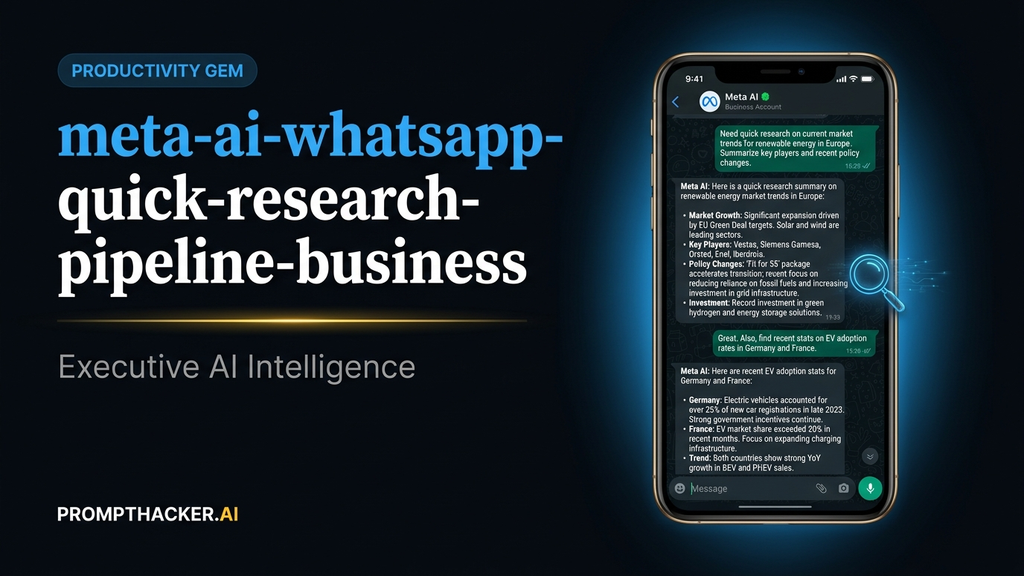
What matters today
Formulate precise prompts to get concise, bullet-point summaries for competitive analysis or market trends.
Article roadmap
What you will learn
-
Access Meta AI directly within WhatsApp for immediate business research.
-
Formulate precise prompts to get concise, bullet-point summaries for competitive analysis or market trends.
-
Integrate AI-generated insights into ongoing team or client conversations without leaving the chat.
-
Maintain context for follow-up questions within a single Meta AI thread.
-
Reduce time spent switching between messaging apps and dedicated research tools.
Imagine a sales director on a client call, discussing a potential partnership. A question arises about a competitor's recent product launch. Historically, this means excusing oneself, minimizing WhatsApp, opening a browser, conducting a search, sifting through results, and then trying to synthesize information before returning to the conversation. This interruption breaks flow and wastes valuable time.
The stakes are clear. In fast-paced business environments, quick access to accurate information can be the difference between closing a deal or losing momentum. Delays in getting answers, even small ones, accumulate, impacting decision-making speed and overall productivity. Relying on external tools for every quick query fragments attention and slows down communication.
This article details a simple, yet powerful, pipeline for leveraging Meta AI within WhatsApp. It allows executives to conduct rapid, on-the-fly research without ever leaving their primary communication channel. Discover how to get immediate, actionable insights, share them instantly, and keep your business conversations moving forward, saving significant time with every query.
Meta AI WhatsApp executive action plan
The integration of Meta AI into WhatsApp fundamentally changes how executives can conduct quick business research. Instead of interrupting a conversation to open a browser or another AI tool, users can simply initiate a chat with Meta AI directly within WhatsApp. This eliminates context switching, a major drain on productivity, and streamlines the information-gathering process. The core benefit lies in its immediacy and seamless integration into existing communication workflows.
Consider a marketing manager responsible for weekly competitor tracking. Previously, this involved dedicated time blocks for manual searches, often spanning multiple browser tabs and internal documents. With Meta AI in WhatsApp, this process can be woven directly into daily communication. For example, while discussing a new campaign in a team chat, a quick query to Meta AI can provide an instant update on a competitor's recent social media strategy. This not only saves time but also ensures that insights are available exactly when and where they are needed for discussion.
Setup time : 2 minutes
Time savings : 8-12 minutes per research session.
Here is the step-by-step setup sequence and a worked example:
- 1. Access Meta AI in WhatsApp: Open WhatsApp. At the top of your conversation list, you will see a dedicated Meta AI icon. Tap this icon to start a new chat with Meta AI. This is your direct portal to a powerful AI assistant without leaving the app. The "why" here is direct access; no downloads or separate logins are required. If you do not see the icon, ensure your WhatsApp app is updated to the latest version. Sometimes, a simple app restart can also resolve visibility issues.
- 2. Formulate Your Research Query: Once in the Meta AI chat, you can type or speak your research question. The key to effective results is specificity. Instead of a vague request like "tell me about marketing," aim for a precise query. Verbatim prompt example "I need a quick competitive summary for [company/product] in 5 bullet points." This prompt is effective because it specifies the subject, the type of information (competitive summary), and the desired format (5 bullet points). This clarity helps Meta AI generate a concise and directly applicable response. For instance, if you are researching a new competitor, replacing `[company/product]` with "Acme Corp's Q3 market strategy" will yield a focused summary. What can go wrong? A vague prompt might return general information that is not immediately useful. Ensure you include keywords relevant to your industry or specific business need.
- 3. Review the Summary and Ask Follow-Up Questions: Meta AI will generate a summary based on your prompt. Review the information for accuracy and relevance. The beauty of this pipeline is the ability to ask follow-up questions within the same thread. This maintains context and allows for deeper exploration without re-explaining your initial query. Example follow-up prompt "What are their key differentiators in the [specific market segment]?" This keeps the conversation focused and iterative. If the initial summary mentions a particular aspect that needs elaboration, a follow-up question refines the information. A common failure mode here is not asking follow-up questions. The first response is often a starting point; digging deeper through subsequent prompts enhances the value.
- 4. Forward the Response Directly to Colleagues: One of the most powerful features of Meta AI in WhatsApp is the ability to instantly share the generated insights. After receiving a useful summary, you can simply tap and hold the message, then select "Forward" to send it to any individual or group chat within WhatsApp. Key Insight This capability is crucial for team collaboration. An operations manager discovering a new regulatory compliance requirement can immediately forward a Meta AI summary to their legal or compliance team, ensuring everyone is informed without delay. This eliminates the need to copy-paste, reducing errors and saving time. Ensure you forward to the correct group; double-check the recipient before sending.
- 5. Use the Same Thread for Ongoing Research: The Meta AI chat acts as a persistent research log. You can return to the same thread at any time to ask new questions or revisit previous queries, maintaining continuity for ongoing projects. This is particularly useful for projects requiring continuous market monitoring or iterative problem-solving. A product development lead can maintain a single Meta AI thread for all research related to a new feature, accumulating insights over days or weeks. This avoids fragmented information across multiple chats or notes. If you start a new chat with Meta AI, the context from previous sessions will not carry over, so always return to the existing thread for continuity.
Real-world business scenario: A finance executive is preparing for a quarterly earnings call. While reviewing market conditions, a question about recent interest rate changes from a specific central bank arises. Instead of switching to a news aggregator or financial terminal, the executive opens WhatsApp, taps the Meta AI icon, and types: "Summarize the key impacts of the European Central Bank's last interest rate decision on corporate lending in 3 bullet points." Within seconds, Meta AI provides a concise summary. The executive then forwards this directly to the investor relations team, saving 10 minutes of research and communication time, and ensuring the team has the latest data for their talking points.
ACTION STEPS SUMMARY
- Initiate Meta AI Chat: Open WhatsApp and tap the Meta AI icon at the top of your conversation list to begin a new AI-powered research session.
- Formulate Precise Queries: Use specific language and format requests, such as "I need a quick competitive summary for [company/product] in 5 bullet points," to ensure Meta AI provides relevant and concise information.
- Iterate with Follow-ups: Review the initial response and ask targeted follow-up questions within the same chat thread to refine the information and delve deeper into specific aspects.
- Share Insights Instantly: Utilize WhatsApp's forward feature to share AI-generated research summaries directly with colleagues or teams, integrating insights seamlessly into ongoing discussions.
- Maintain Research Context: Continue to use the same Meta AI chat thread for related research questions, preserving conversational context and building a comprehensive knowledge base over time.
Also in This Biweekly Issue
-> Copilot Python in Excel: Data Analysis Without an Analyst
-> Apple Intelligence: Halve Your Email Response Time
-> Apple Intelligence: Boost Executive Productivity on iPhone
Get the full breakdown every two weeks
PromptHacker Premium delivers 5 deep-dive articles, exact prompts, and step-by-step workflows every two weeks.
Three deep dives. Four useful moves. One email worth opening.
PromptHacker turns the AI firehose into practical next steps for work, health, family, and everything time keeps trying to steal.