PH PROMPTHACKER.AI
Issue 121 | Claude Design Just Made Your Freelance Designer Nervous

Claude Design Just Made Your Freelance Designer Nervous

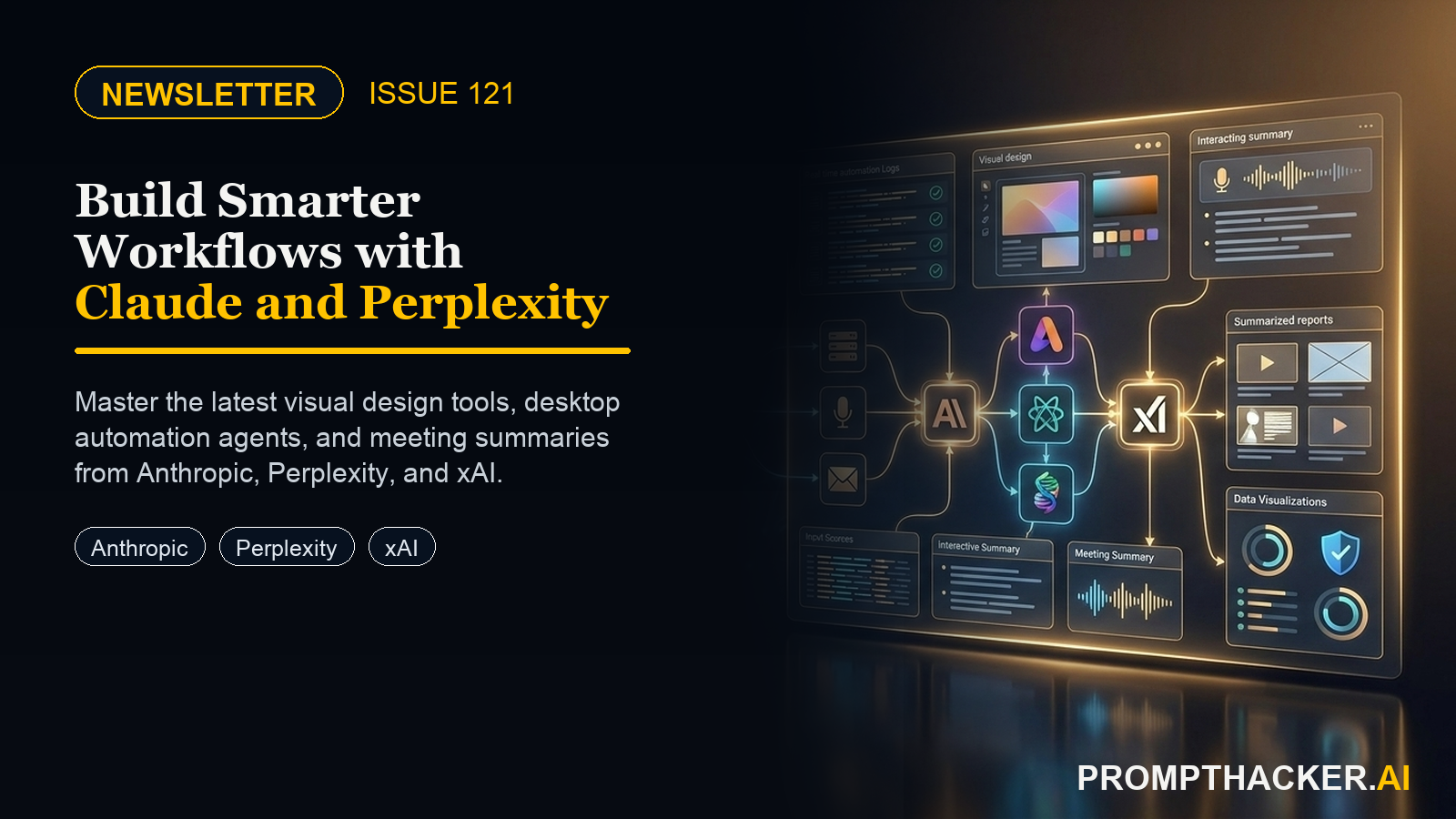
Three AI platforms shipped major updates this week. Anthropic launched Claude Design on April 17 -- a conversational design studio bundled into every paid Claude plan at no extra charge. xAI released Grok 4.3 Beta on the same day with native video input and direct PowerPoint export. And Perplexity Computer for Mac arri
11 min read
Quick Scan

What matters today

Three AI platforms shipped major updates this week. Anthropic launched Claude Design on April 17 -- a conversational design studio bundled into every paid Claude plan at no extra charge. xAI released Grok 4.

Format Weekly newsletter issue
Audience Executives using AI at work
Time 11 min read
Topic Claude Design Just Made Your Freelance Designer Nervous

Welcome byte

Three AI platforms shipped major updates this week. Anthropic launched Claude Design on April 17 -- a conversational design studio bundled into every paid Claude plan at no extra charge. xAI released Grok 4.3 Beta on the same day with native video input and direct PowerPoint export. And Perplexity Computer for Mac arrived on April 16, giving Max subscribers a desktop agent that reads your local files, email, and calendar together.

Quick Hits

#01

This issue covers all three launches in depth. The main story walks through Claude Design and the two-pass prompt pattern that cuts pitch deck time from four hours to 90 minutes. The second deep dive shows the Perplexity Computer wire-up for Monday morning briefs. The third covers the Grok 4.3 meeting-to-deck pipeline step by step. The Pro Tip is the exact investor one-pager prompt, ready to copy and paste. Plus: Copilot video recaps, Apple Health screenshots with Claude Opus 4.7, and a Pokemon classifier your kids can build this afternoon.

01 / Quick Hits

#02

Claude Design Launches In Every Paid Plan

Anthropic launched Claude Design on April 17, 2026 as a research preview included with Pro, Max, Team, and Enterprise at no additional charge.

#03

Executive angle: Open claude.ai today and check your left sidebar. If Claude Design is live on your account, run the two-pass pitch deck prompt this week before your next investor meeting.

#2 Grok 4.3 Beta Adds Native Video Input and PowerPoint Export

#04

xAI released Grok 4.3 Beta on April 17, 2026. The model processes Zoom and Loom recordings natively -- no transcript step required -- and outputs downloadable .pptx files, PDFs, and spreadsheets directly from the chat. Handles calls up to 60 minutes.

Executive angle: Upload one recent sales or client call recording to Grok 4.3 Beta this week. Run the structural extraction prompt, then request a six-slide follow-up deck. Total time: under 12 minutes.

Top Updates

Upgrade to PromptHacker Premium for the full archive of executive AI playbooks.

Pro Tip

The Claude Design Investor One-Pager Prompt (Copy, Paste, Send In 15 Minutes)

Tools: Claude Design | Time: 15 min | Level: Beginner

Monthly investor updates take two to three hours when done by hand. Investors skim them in 90 seconds. This prompt produces a clean one-pager in one pass -- with color, layout, and hierarchy that match a brand you specify. Total time end-to-end: 12 to 18 minutes from raw notes to a PDF ready for your investor email thread.

The Prompt

Why it works: The prompt forces Claude Design to work only from your actual data -- marking gaps as TK rather than hallucinating numbers. The brand color spec means the output matches your existing materials on the first pass. Saving this as a Claude Project with your brand details baked in reduces every subsequent monthly run to about 5 minutes.

Best for: founders, executives who pitch

Deep dive: The Claude Design Investor One-Pager Prompt (Copy, Paste, Send In 15 Minutes) ->

04 / Productivity Gem

Power prompt

The Claude Design Investor One-Pager Prompt (Copy, Paste, Send In 15 Minutes)

A single prompt turns your raw monthly notes into an investor-ready one-pager that matches your brand. Here is the exact wording and the edits that improve it.

Copy-ready guide

Productivity Gem

#3 Perplexity Computer for Mac Connects Files, Mail, and Calendar

Perplexity Computer for Mac launched April 16, 2026 for Max subscribers and waitlist members. The desktop app reads local folders and pulls from Apple Mail and Calendar through native macOS integrations. Each write action requires explicit approval.

Executive angle: Install Perplexity Computer, grant access to one client folder and Apple Mail, and run the Monday morning brief prompt for your top account before the week starts.

Read more ->

#4 Copilot Meeting Recaps Now Include Narrated Videos

Microsoft 365 Copilot released a meeting recap upgrade in April 2026. Asking Copilot Chat to summarize a recorded meeting now returns a short narrated highlight video alongside the written recap. The video stitches actual clips together with narrated context.

Executive angle: Pick one recurring meeting this week and switch from a text recap to the Copilot video format. Post it to Slack with the three-line structure and measure how many people actually acknowledge it.

Read more ->

#5 Claude Opus 4.7 Gets Tripled Image Resolution

Anthropic shipped Claude Opus 4.7 with a tripled image resolution ceiling -- 2,576 pixels on the long edge. Apple Health screenshots are now fully readable by Claude, including every individual daily value on monthly HRV, sleep, and activity charts.

Executive angle: Take three monthly-view screenshots from the iPhone Health app (HRV, Sleep, Exercise) and upload them to Claude Opus 4.7 with the pattern analysis prompt in this issue.

Read more ->

02 / Top AI Updates | 3 Deep Dives

# 01 / 03

Claude Design Is The First Real Threat To Canva, Figma Jam, And Your Freelance Designer

Anthropic launched Claude Design on April 17, 2026 as a research preview bundled with every paid Claude plan. The product produces polished prototypes, slides, one-pagers, mockups, and full design systems from conversational prompts. Early founder users report cutting a four-hour pitch deck pass down to 90 minutes in week one, with most savings coming from skipping the find-a-template phase.

Business Impact

Eliminates: Hours spent fighting slide templates, reformatting Canva layouts, and briefing freelance designers on one-off deliverables

Time back: 2 to 3 hours per investor update or sales one-pager in week one

Best for: Founders, CEOs, and executives who produce investor updates, pitch decks, one-pagers, and all-hands decks

Executive Action Steps

  • Open claude.ai and confirm Claude Design appears in your left sidebar. If not, check back within 24 hours as the rollout is gradual through April.
  • Create a project titled 'Brand System' and paste your brand colors, fonts, and one existing deck. This becomes Claude Design's reference for all subsequent work.
  • Run the structural pass first: ask Claude to produce slide-by-slide structure with headlines and one-sentence goals per slide. No visuals yet.
  • Run the visual pass second using your brand colors and font. Use the sliders Claude surfaces to tune density, formality, and data-to-decoration ratio before exporting to PDF.

Why it matters: Claude Design collapses the tradeoff between cheap tools that look amateur and expensive tools with a steep learning curve. For the specific category of documents executives produce -- investor updates, pitch decks, one-pagers, sales collateral -- it is the first tool that is both fast and professional without a designer in the loop.

Deep dive: Claude Design ->

# 02 / 03

Perplexity Computer for Mac launched April 16, 2026 for all Max subscribers and Mac waitlist members. The desktop app connects to local folders and pulls context from iMessage, Apple Mail, and Calendar through native macOS integrations. Permissions are per-app and per-folder, with explicit approval required for each write action. Early users report cutting a Monday morning client brief from 45 minutes to about 10.

Business Impact

Eliminates: The manual work of pulling together email threads, calendar history, and project files to write a client brief or follow-up

Time back: 30 to 45 minutes per client brief, recurring weekly

Best for: Account managers, executives with recurring client relationships, and anyone who writes Monday morning briefs

Executive Action Steps

  • Install Perplexity Computer from the Mac App Store or perplexity.ai/comet. On first launch, grant access to one project folder, Apple Mail (read-only), and Calendar (read-only). Hold iMessage access for a deliberate decision later.
  • Save the Monday morning brief prompt with your top client's name and folder path. Run it at 8:30 AM on Monday. Review and approve the file write when Computer asks for permission.
  • Add Prompt B for updating your client status file: ask Computer to read the current status.md, update it based on the week's email and calendar, and show you the diff before saving.
  • Add folders and accounts gradually as the workflow earns trust. Start with one folder and one account, then expand based on real time saved.

Why it matters: Web-based AI assistants cannot see your email. Desktop productivity apps cannot reason about a research document. Perplexity Computer sits between those two worlds and is the first consumer tool that makes cross-app briefs work end to end without copy-paste.

Deep dive: Perplexity Computer ->

# 03 / 03

Grok 4.3 Beta: The Meeting-To-Deck Pipeline That Fits In A Coffee Break

xAI released Grok 4.3 Beta on April 17, 2026. Two features matter for executives: native video input that processes and reasons about video clips without a separate transcription step, and document generation that outputs downloadable .pptx, PDF, and spreadsheet files directly from chat. The combination collapses a five-step pipeline into one conversation. For a 45-minute call, total elapsed time is 8 to 12 minutes.

Business Impact

Eliminates: The multi-tool pipeline of transcription app, copy-paste to LLM, summary to slides, and manual formatting

Time back: 45 to 60 minutes per client-facing deliverable after each meeting

Best for: Sales teams, customer success teams, and consultants who produce a client-facing document after every meeting

Executive Action Steps

  • Confirm Grok 4.3 Beta is your active model on x.com or iOS. Drag your Zoom MP4 or Loom export into the chat and wait for the upload to complete.
  • Run the structural extraction prompt first: ask Grok to identify who was present, the three biggest objections, the three commitments and by whom, and the agreed next steps with owners and dates. Review the output before moving to slides.
  • Request the deck explicitly: ask for a 6-slide client follow-up deck in PowerPoint format with Slide 1 as recap, Slide 2 as objections and responses, Slide 3 as commitments, Slide 4 as next steps with owners and dates, Slide 5 as timeline, and Slide 6 as contact and CTA. Download as .pptx.
  • Drop the .pptx into your branded template. Grok's output is structurally solid but uses generic visuals. This final step takes 2 to 5 minutes and produces a client-ready file.

Why it matters: Transcription-plus-LLM pipelines miss non-verbal signal and regularly mis-attribute quotes in multi-speaker calls. Native video reasoning catches who introduced each objection based on speaking patterns. For sales teams paying for separate transcription and summarization tools, consolidating into Grok SuperGrok at $30 per month can cut tooling costs by half.

Deep dive: Grok 4.3 ->

03 / Pro Tip

Replace Your Meeting Recap Email With A Two-Minute Copilot Video Nobody Will Skip

Tools: Microsoft Copilot | Saved: 2 hrs/week

Microsoft 365 Copilot released a meeting recap upgrade in April 2026. When you ask Copilot Chat to summarize a recorded meeting, the output now includes a short narrated highlight video alongside the written recap. The video pulls actual clips from the recording, stitches them together, and narrates the context. Stakeholders will watch a two-minute video at 1.5x on their commute. They will not read your 300-word recap email.

  • After the meeting ends, open Copilot Chat in Teams or the M365 web app. Run the recap prompt below. Copilot renders the narrated video in 30 to 90 seconds depending on meeting length. Download the MP4 or grab the shareable link.
  • Post the recap in Slack or Teams using the three-line structure: account name and '2 min video' in the header, then one line each for what happened, biggest risk, and what you need from the reader. Add the video link, then a written recap link as the fallback for anyone who needs to cite a specific quote.

The Prompt

Time savings: A weekly cadence across five high-signal meetings replaces roughly 75 minutes of write-up time. Most executives see a 2x lift in stakeholder acknowledgments within two weeks of switching to the video-first format.

Deep dive: Replace Your Meeting Recap Email With A Two-Minute Copilot Video Nobody Will Skip ->

05 / Health Tip

Deep dive

Perplexity Computer For Mac: The First AI Agent That Actually Lives On Your Desktop

Local file access plus native iMessage, Mail, and Calendar hooks turn a research tool into a cross-app brief engine. Here is how to wire it up.

Put it to work
Productivity gem

Replace Your Meeting Recap Email With A Two-Minute Copilot Video Nobody Will Skip

Microsoft 365 Copilot now produces narrated highlight reels of recorded meetings. Here is how to make this your default recap format.

Put it to work

Health Tip

Claude Opus 4.7 Can Finally Read A Full Apple Health Screenshot. Here Is How To Use That.

Tools: Claude Opus, Apple Health

Anthropic shipped Claude Opus 4.7 with a tripled image resolution ceiling -- 2,576 pixels on the long edge. A monthly HRV chart screenshot is now fully readable by Claude, including every individual daily value. Before the upgrade, Claude could see the shape of the curve but not the specific data points. The workflow is for executives who already track HRV, sleep, and activity through their iPhone and Apple Watch.

  • Open the Health app on iPhone. Screenshot three views at the monthly zoom level: (1) Heart Rate Variability -- Browse tab, Heart, Heart Rate Variability, Month view. (2) Sleep -- Browse tab, Sleep, Month view, with stages visible. (3) Exercise Minutes -- Summary tab, Activity ring, Month view.
  • Open Claude on claude.ai, confirm Opus 4.7 is your active model, upload all three screenshots in a single conversation, and paste the prompt below. Review the output as hypotheses to bring to a doctor or coach -- not as a diagnosis.

The Prompt

This is not medical advice. Consult a qualified healthcare professional before making changes to your health routine.

Deep dive ->

06 / Kids Tip | Ages 8-16

AI health tip

Claude Opus 4.7 Can Finally Read A Full Apple Health Screenshot. Here Is How To Use That.

The tripled image resolution ceiling means Claude now sees every data point in a monthly HRV, Sleep, or Activity view. That changes what you can ask.

Step-by-step guide

Kids Tip

Your Kid Can Train A Working AI On Their Pokemon Collection This Afternoon

Tools: Google Teachable Machine

Google Teachable Machine is a free browser tool that lets anyone train a working image classifier without writing code. A child takes 20 to 30 photos of a few categories -- Pokemon cards, Lego figures, leaves, coins -- and the tool learns to tell them apart. No signup, no paid plan, no special hardware. The magic moment is when the model gets something wrong: a Pikachu card held upside-down classified as Jigglypuff. That failure is the real lesson.

Try Asking

Core lesson: AI models are only as good as the data they see. Balanced, varied examples matter more than total photo count. Bias is real and fixable with more thoughtful data collection.

Deep dive ->

This was the week visual AI went from a nice-to-have to a genuine workflow replacement. Claude Design, Grok 4.3, and Perplexity Computer all shipped within 24 hours of each other -- and all three reduce time spent on high-frequency, low-leverage executive tasks: design work, meeting follow-ups, and client briefs.

The executives who will get the most out of this week's launches are the ones who pick one workflow and actually run it this week. Not all three. One. The Claude Design investor one-pager prompt takes 15 minutes. The Grok meeting-to-deck pipeline takes 12 minutes for a 45-minute call. The Perplexity Computer Monday brief setup takes 20 minutes once. Any of these earns back more time than it costs on the first use.

Forward this to one executive you respect. They will thank you next week.

Premium Upgrade

Kids AI project

Your Kid Can Train A Working AI On Their Pokemon Collection This Afternoon

Google Teachable Machine plus Gemini's free tier lets kids 8 to 16 build a deployed image classifier in 90 minutes. No signup, no paid plan, no special hardware.

Try the activity

Wrap Up

About the author

Pierre Bradshaw Founder, PromptHacker.ai

Pierre has spent 25+ years building growth systems across fintech, real estate, lending, campaigns, and AI workflows, with $1.5B+ in client value delivered.

If you have any questions or comments about Claude Design Just Made Your Freelance Designer Nervous feel free to reach out. I'd love to hear from you.

Contact Pierre
Free weekly briefing

Three deep dives. Four useful moves. One email worth opening.

PromptHacker turns the AI firehose into practical next steps for work, health, family, and everything time keeps trying to steal.